-
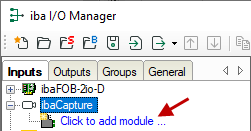
To create a new ibaCapture module, click on "Click to add module..." under ibaCapture.
-
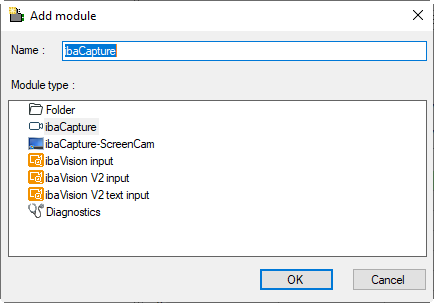
Enter a module name in the text box and select the module type:
-
ibaCapture, when connecting to an ibaCapture Server
-
ibaVision input, when receiving data from ibaVision or analog temperature values from an Optris thermal camera
Choose a name so that the video server and its respective cameras can easily be identified later.
-
-
Confirm with <OK>.
-
Once the module has been created, it is shown in the signal tree.

To configure an ibaCapture module, select the respective ibaCapture module in the signal tree.