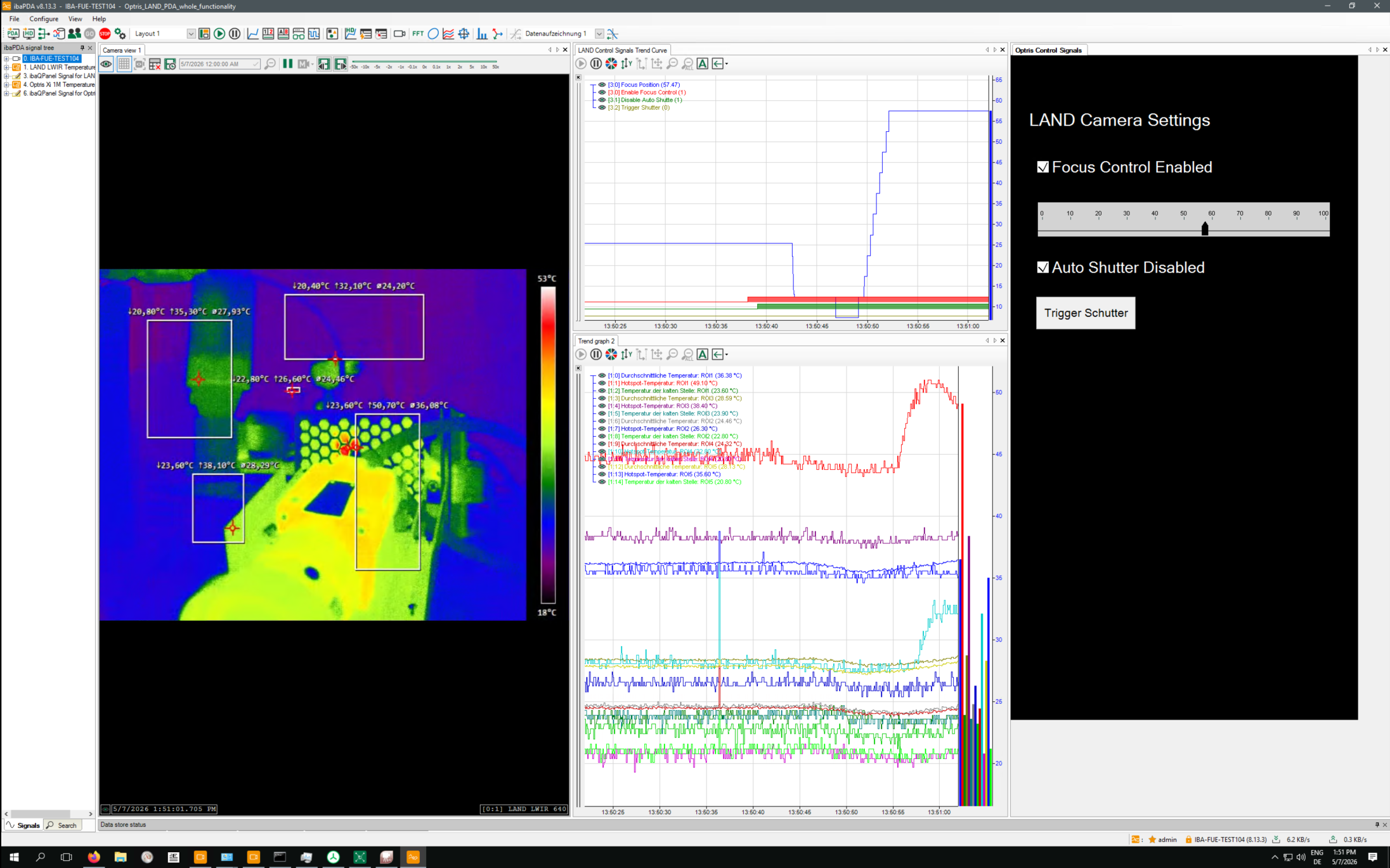
Thermal cameras connected to ibaCapture can be controlled using ibaVision output signals and ibaQPanel. The following features are supported:
-
The camera motor focus can be adjusted using ibaPDA signals.
-
The automatic camera shutter can be disabled using an ibaPDA signal.
Background: Optris thermal cameras open and close their shutters at regular intervals to recalibrate the sensor. This can cause critical measurements to be interrupted. That is why the automatic shutter can be disabled.
-
The camera shutter can be triggered manually using an ibaPDA signal.
The signals for camera control are configured in an ibaVision output module and linked to ibaQPanel input signals. The thermal cameras can be controlled using the appropriate tools in ibaQPanel.
Procedure
-
In ibaPDA, open the I/O Manager and switch to the Outputs tab.
-
Create an ibaVision Output module under the ibaCapture interface.
-
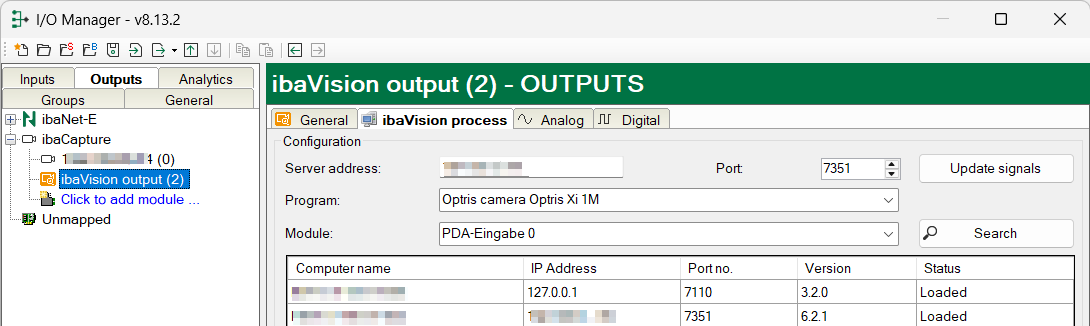
Enter the server address and port number 7351 in the ibaVision process tab. The other fields are filled in automatically. Click <Update signals>.
-
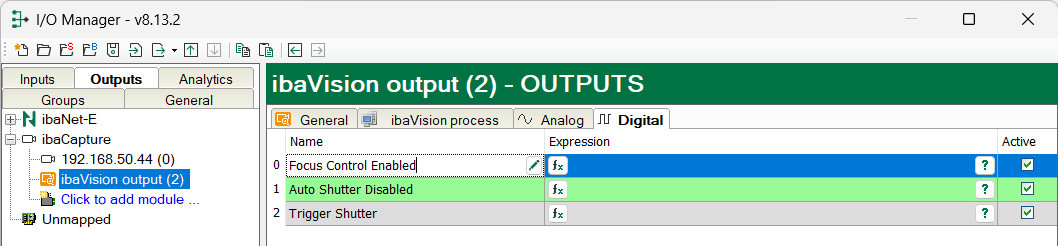
The signals for controlling the thermal cameras appear in the Analog and Digital tabs.

-
With ibaQPanel, you can control the thermal cameras using the signals.
-
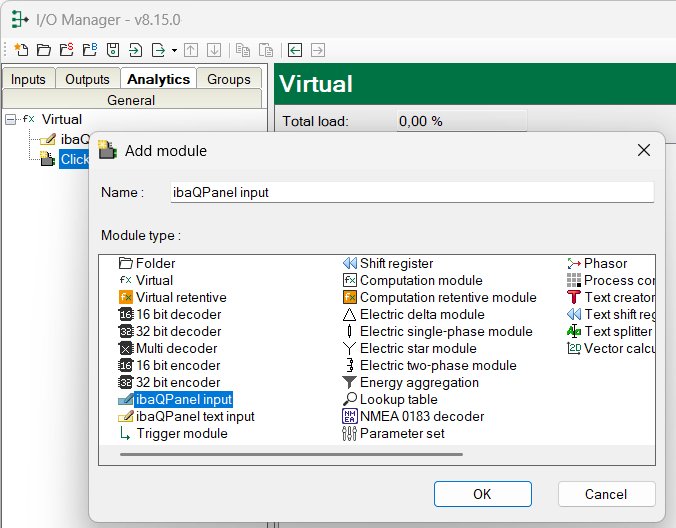
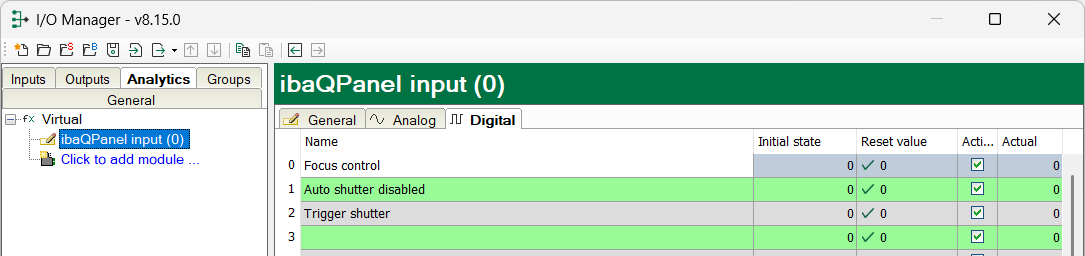
To do this, create the appropriate signals in an ibaQPanel Input module. You can find the ibaQPanel Input module in the Analytics tab, under the Virtual interface.
-
In the Analog tab, define an analog signal called "Focus Position."

-
In the Digital tab, you define 3 digital signals: Focus Control Enabled, Auto Shutter Disabled, Trigger Shutter.
-
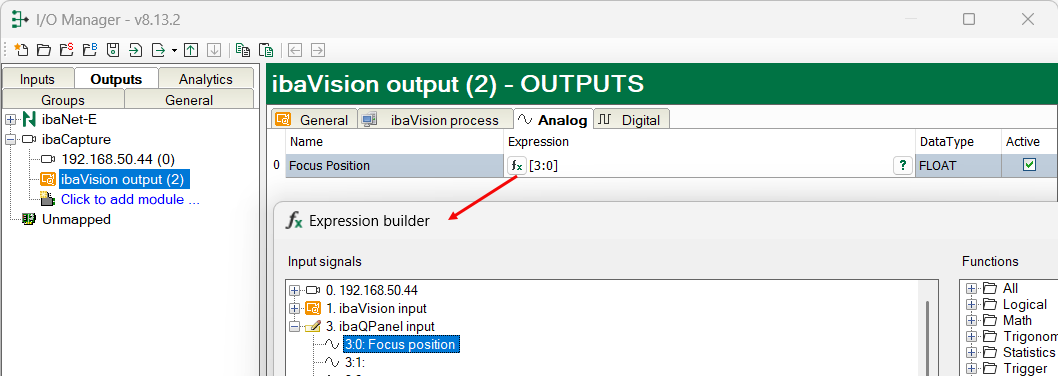
Switch to the ibaVision Output module and link the signals to the ibaQPanel Input signal.
-
For each signal, open the expression builder f(x) and select the corresponding signal. Here is an example of the analog signal.
-
Proceed in the same way for the digital signals.
-
Apply the configuration by clicking <Apply>.
-
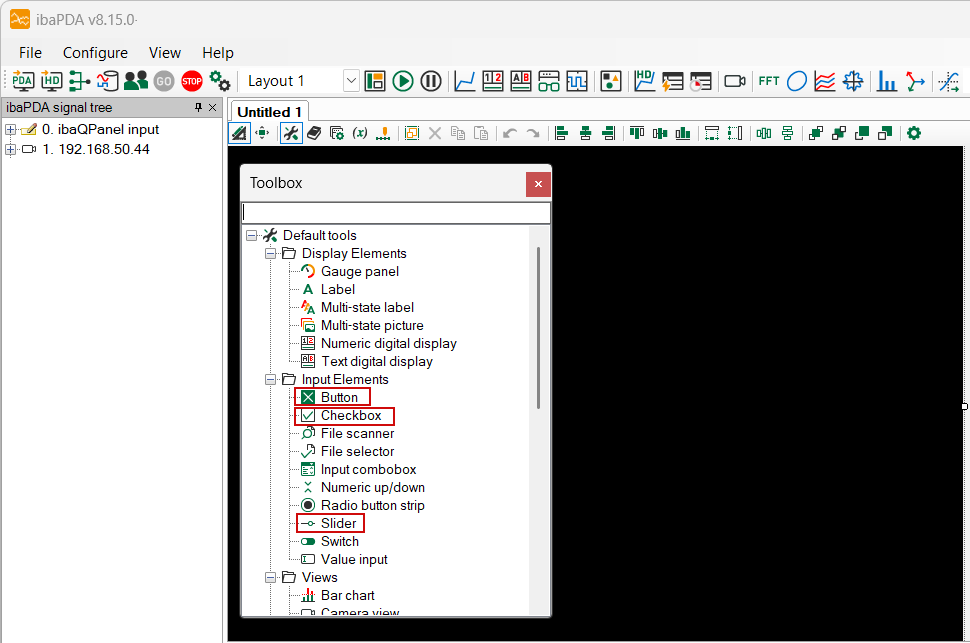
Add an ibaQPanel. The new ibaQPanel is in design mode.
-
Add the following tools:
-
-
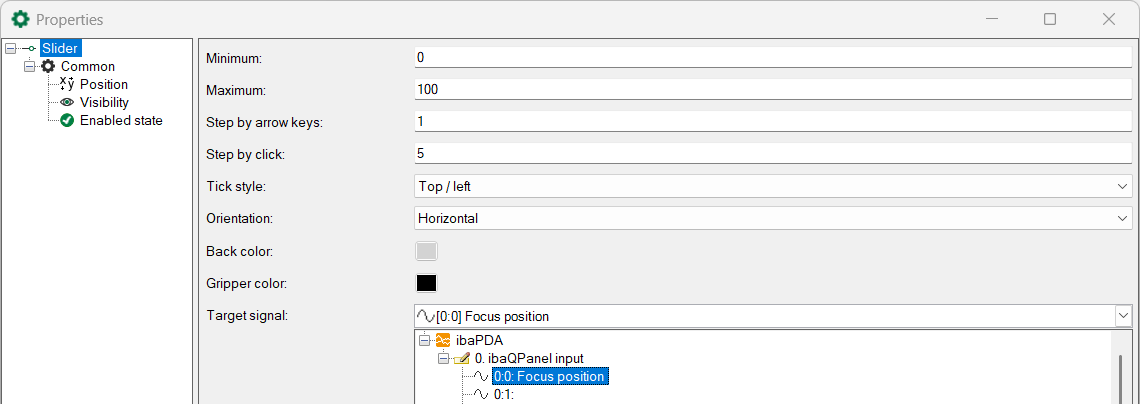
Slider for controlling the camera focus: Select Focus position as the target signal
-
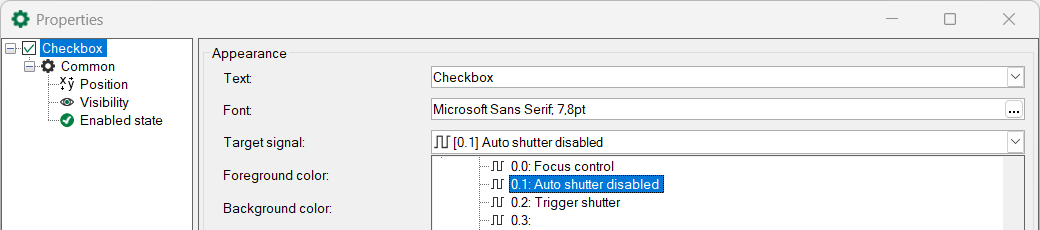
One checkbox each to allow manual control of the camera focus and to disable the automatic shutter: Select the target signals Focus Control Enabled and Auto Shutter Disabled
-
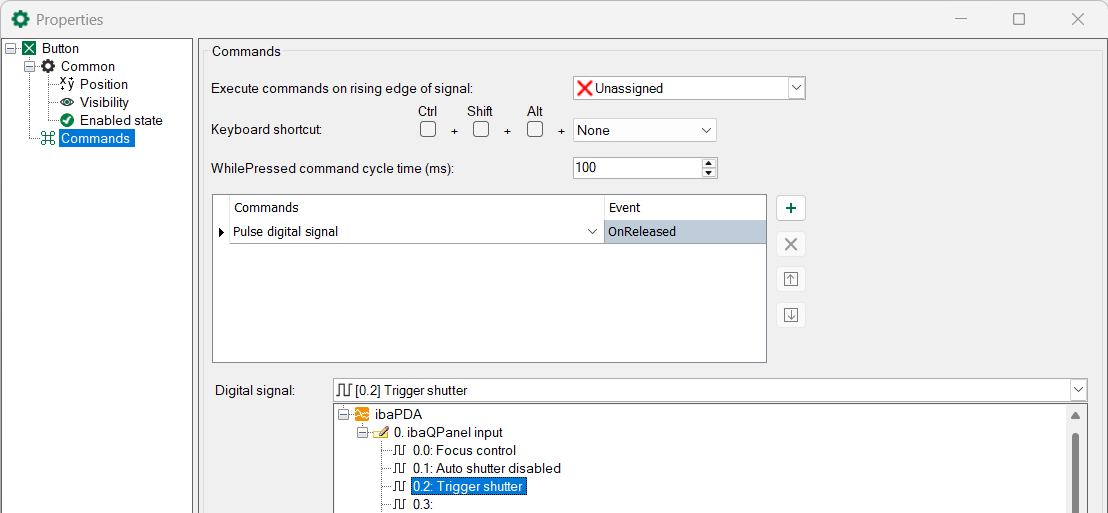
Button to release the camera shutter: Select the Pulse digital signal command, then select the Trigger Shutter digital signal.
-
-
The following figure shows the view in ibaPDA: the thermal camera image, the temperature signals, and ibaQPanel for controlling the thermal camera.