-
Start ibaPDA
 and open the I/O Manager
  .
. -
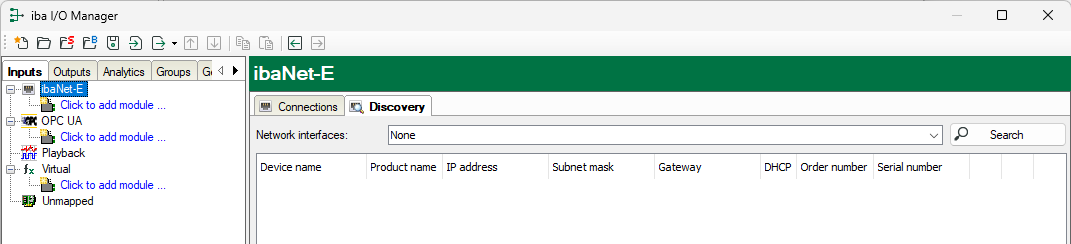
Select the “ibaNet-E” interface and choose the Discovery tab:
-
In the field Network interfaces select the network card(s) via which you can reach the ibaW-750 device and start the search by clicking on <Search>:
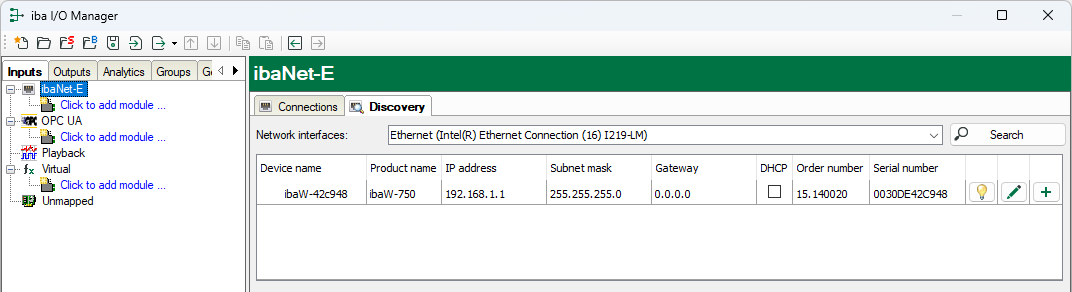
Found devices are listed in the table and cannot be changed in this display.


Information on the devices found
Device name
Device name, or host name of the device
Product name
ibaW-750
IP address
The IP address of the device
Subnet mask
The subnet mask of the IP settings
Gateway
The gateway of the IP settings
DHCP
The IP settings are obtained from a DHCP server (enabled or not).
Order number
The iba order number of the device
Serial number
The serial number of the device
Meaning of the buttons:
 |
Identify device When you click this button, the status indicators (LEDs) on the front of the device start blinking for a short time. This makes it possible to identify the device directly. |
 |
Edit device settings Click this button to open the window for the device and IP settings. |
 |
Add device to I/O configuration Click this button to add the device to the I/O configuration of the ibaNet-E-interface in ibaPDA. Connected modules are identified and added automatically as far as possible. |