Open the dialog Edit device settings with the button  .
.
In the device settings, device-specific values are entered, which are mainly required for the network connection to the Ethernet.

Owner
If the device ibaW-750 has been configured before, the last owner is shown here. Otherwise the field is empty (after delivery or resetting to factory settings).
The owner corresponds to the computer name on which ibaPDA is installed and by which the device was most recently configured. The entry is inserted automatically and is only readable.
Lock settings
If this function is enabled, read and write access to the device configuration is blocked towards other ibaPDA systems.
Device name
Name of the device
If DHCP is enabled and a DHCP/DNS server is in the network, this name can be used to connect the device.
IP address
IP address of the device
This field is read-only when DHCP is enabled.
Subnet mask
Subnet mask of the IP settings
This field is read-only when DHCP is enabled.
Gateway
Gateway of the IP settings
This field is read-only when DHCP is enabled.
DHCP
If DHCP is not enabled, a static IP address must be selected. If DHCP is enabled, the IP address of a DHCP server in the network is obtained, if possible.
Example of a device setting with fix IP address, without DHCP:

-
To apply the settings, click <OK>.
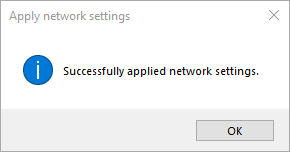
The following message appears and the input window is closed:
In the Discovery register the configured ibaW-750 device is displayed.


