Proceed as follows to add the device as a module to the I/O configuration in ibaPDA:
Prerequisites:
-
You have performed a search for existing devices in the same LAN, see chapter Searching for ibaW-750 devices.
-
The device has been configured, see chapter Device settings.
-
Select the ibaW-750 device in the Discovery tab of the ibaNet-E interface and click on the button
 .
.The device appears in the module tree of the I/O Manager.
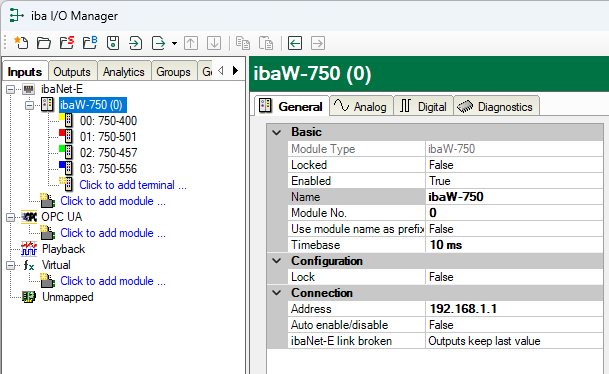

Connected terminals are automatically detected and added as far as possible.
If the device has already been configured for acquisition in ibaPDA, this existing configuration is also read out and displayed in the I/O configuration.