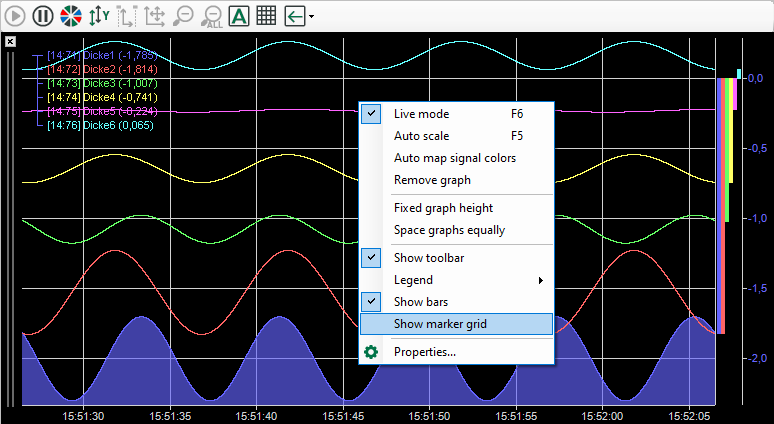
In the Marker grid node you can specify the properties of the marker grid.
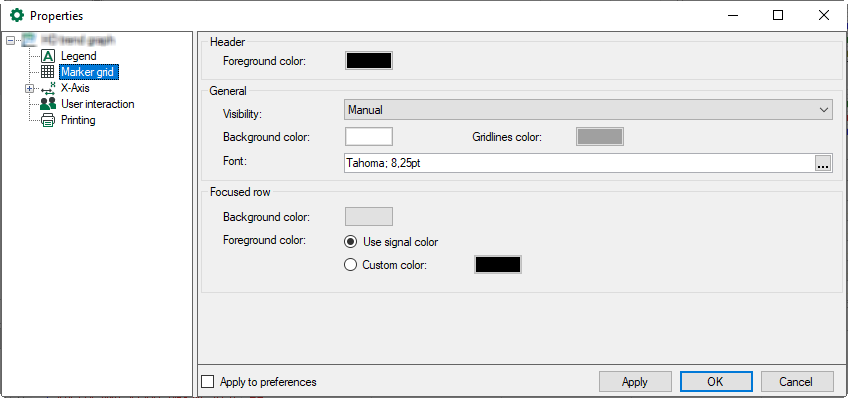
You can select colors for the text in the header, for the grid background, and the foreground and background colors for the selected row. For the foreground color of the selected row, you can define a fixed color or use the signal colors.
You can change the color by clicking on the color field.
Visibility
The marker grid is disabled in live mode by default. It opens automatically as soon as the signal view switches into pause mode. However, you can change this behavior:
-
Always visible
-
Never visible
-
Manual
A button for switching the marker grid on or off appears in the toolbar


A further option is to right-click in the trend graph to open a context menu and select Show marker grid.