You have two options to select the measurement values via the operand address:
-
In the module's General tab, click on the Select S7 operands link.

The S7 operand editor opens.
-
In the Analog or Digital tab, click in a cell in the S7 operand column.
The button <…> appears. Click the button to open the S7 operand editor.
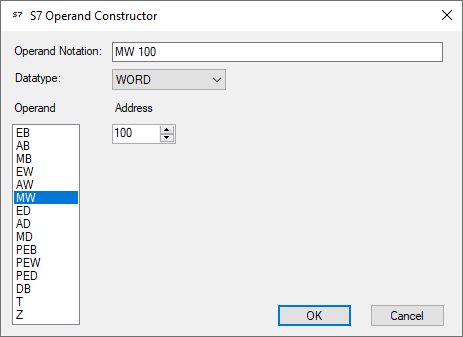
After you have set the desired operand address, click <OK> to exit the dialog.
Thereafter, you can enter the signal name in the Name column.
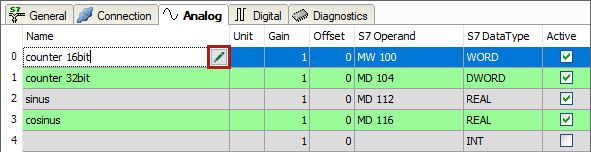
You can enter the desired operand address also directly in the S7 Operand column without using the S7 operand editor.