The following configuration steps are required to be able to access the secondary CPU412 control with the SIMATIC STEP 7 programming software. For SINUMERIK, SINAMICS, or SIMOTION, you can apply similar steps. For using ibaPDA, these configuration steps are not required.
-
Add a PG/PC station and configure it.
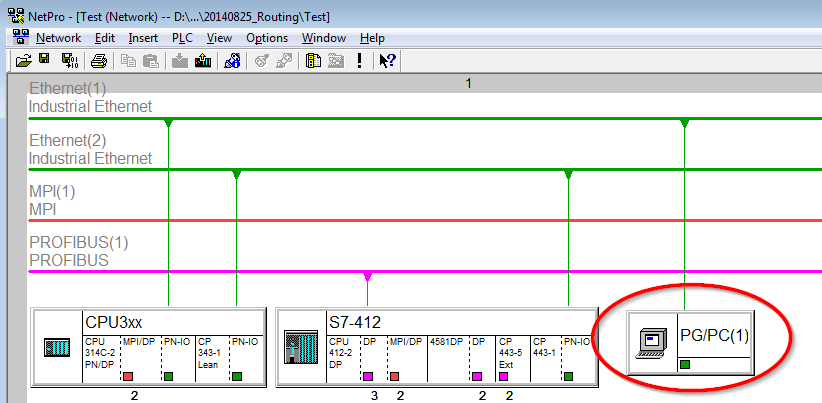
-
Assign an interface (network card).
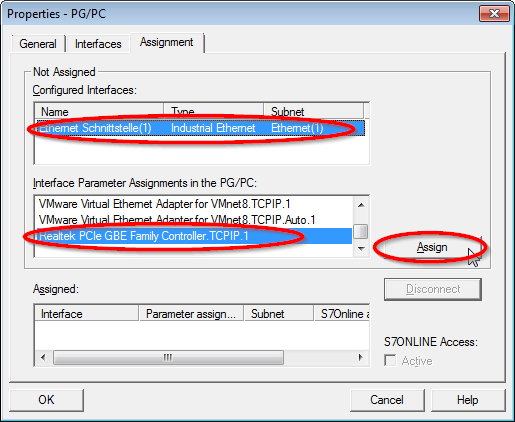
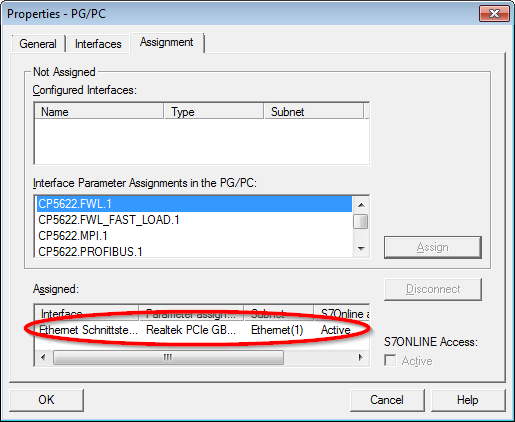
Result:
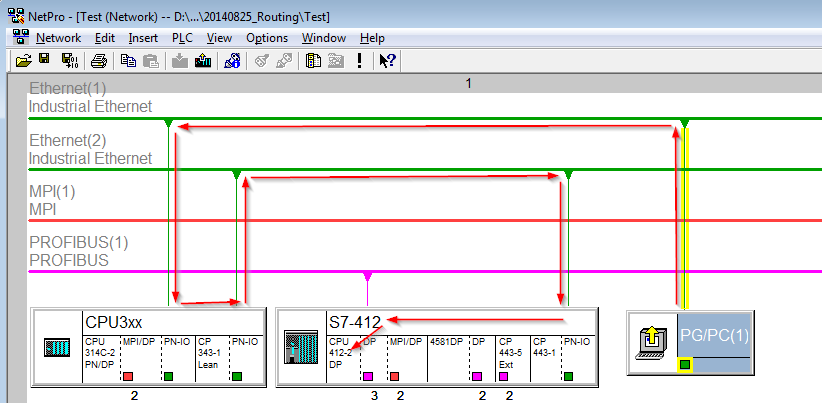
Now, the connection line from PG/PC to the network has to be marked in yellow.
In the following figure, the communication path is shown using arrows (these are not displayed in SIMATIC NetPro).
-
Finally, load all hardware configurations and connection data from NetPro.