Configure the following settings.
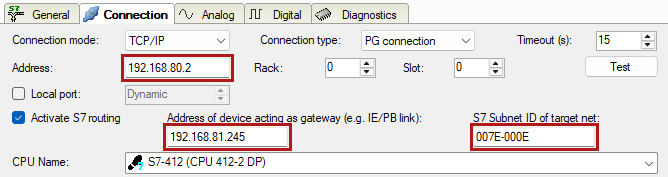
Activate S7 routing
Enable this option to use S7 routing.
Address
Enter the address of the target control (here CPU412)
Address of device acting as gateway
Enter the address of the gateway (here CPU314C).
S7 subnet ID of target net
Enter the subnet ID from STEP 7 NetPro or TIA Portal.
Identifying the S7 subnet ID in NetPro
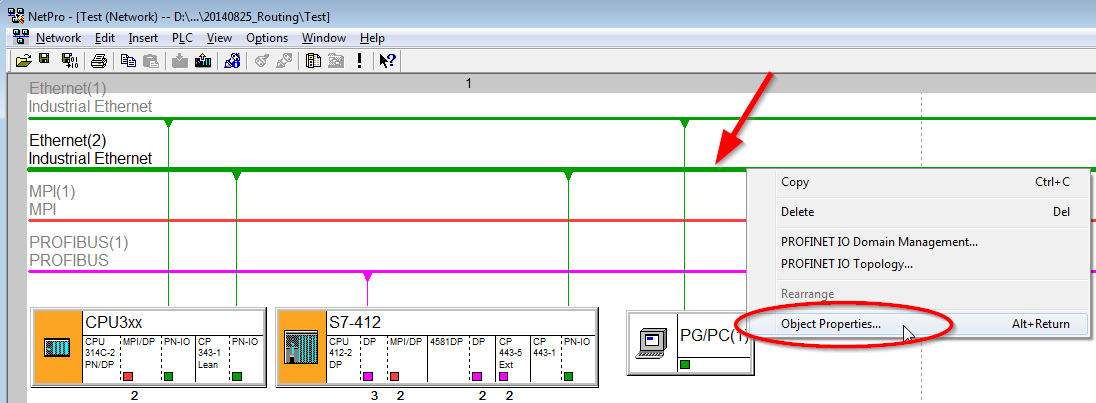
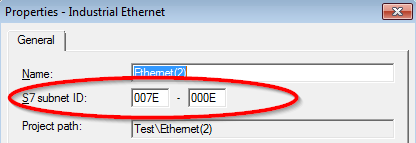
You can identify the S7 subnet ID in NetPro.
Right-click on the secondary bus system and open the Object Properties.
Identifying the S7 subnet ID in TIA Portal
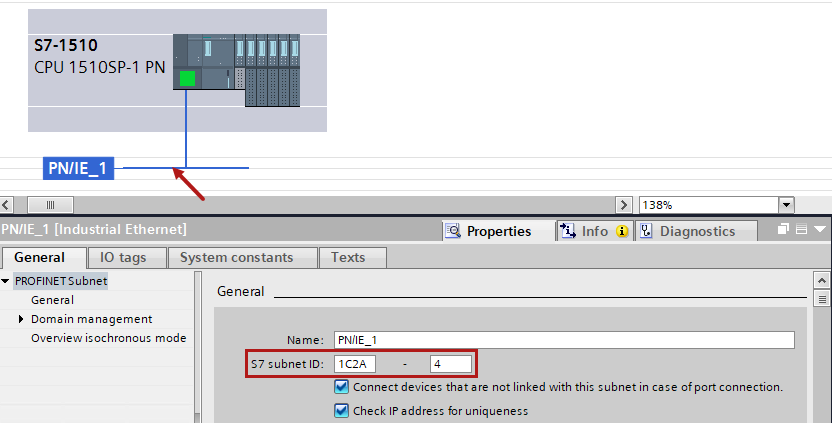
You can identify the S7 subnet ID in TIA Portal.
Click on the bus system and go to Properties – General – General.