The following blocks are required:
-
ibaREQ_M (FB140), see ibaREQ_M (FB140)
-
ibaREQ_UDPact (FB145), see ibaREQ_UDPact (FB145)
-
ibaREQ_UDPext4 (FB148), see ibaREQ_UDPext4 (FB148)
-
ibaREQ_DB
-
ibaUDT_UDPact (UDT145)
Note |
|
|---|---|
 |
Only use Request blocks from the latest iba S7 library! Request blocks in application examples can be outdated and, thus, cause errors. |
For each Request module
-
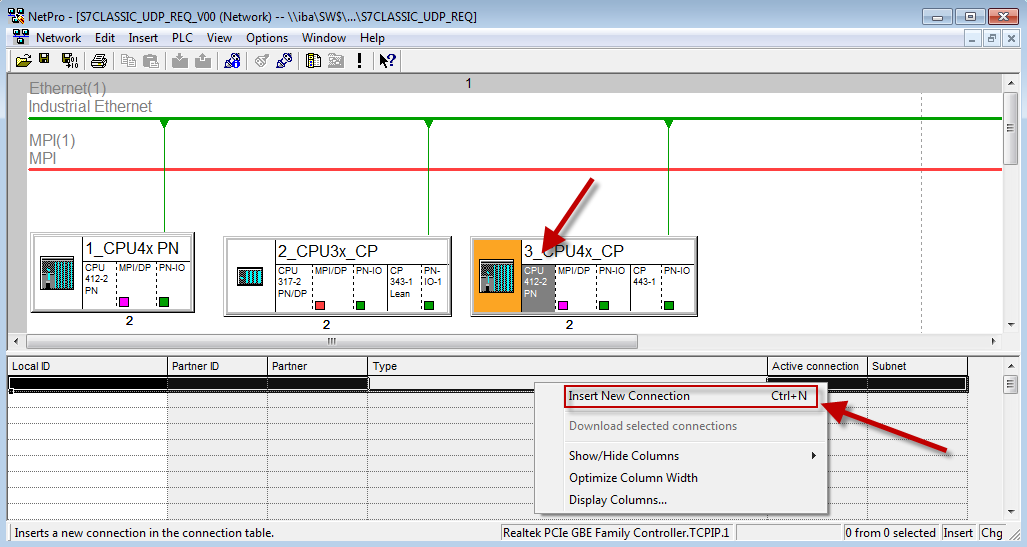
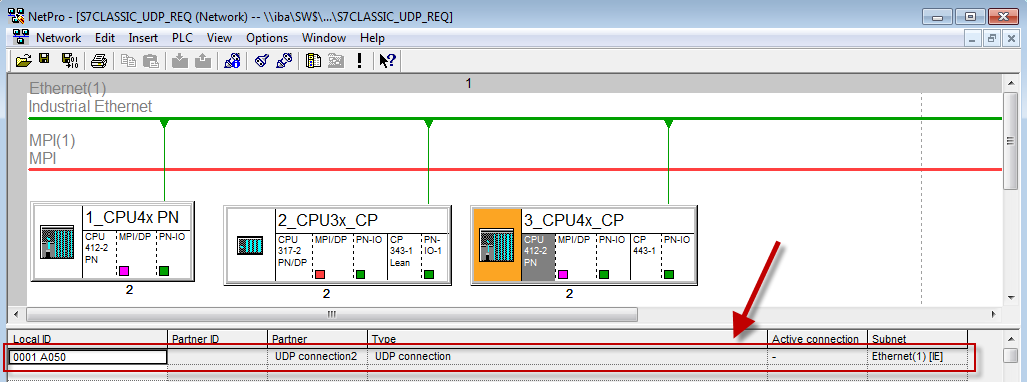
Configure a new connection in NetPro.
-
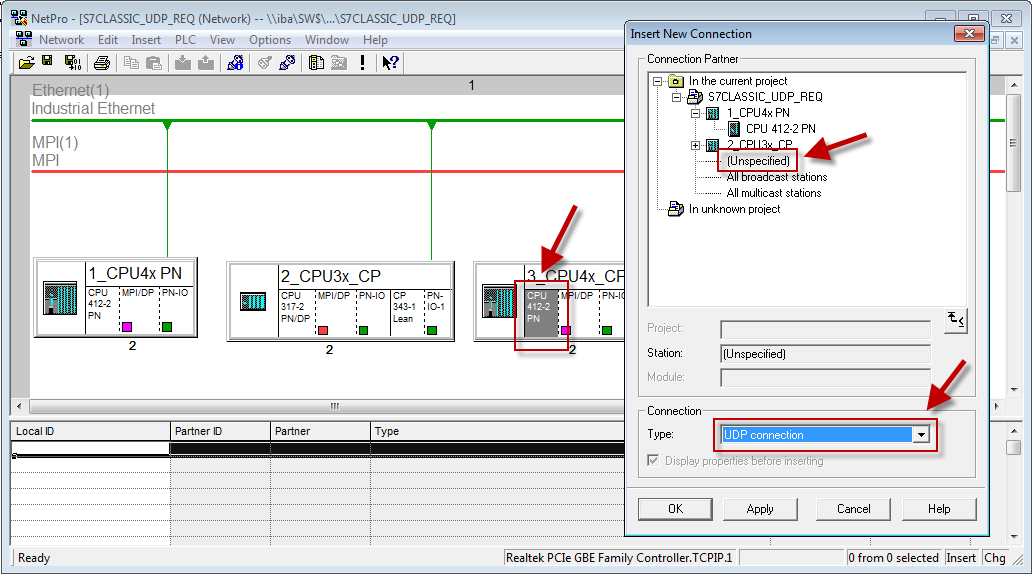
Select the connection partner unspecified and connection type UDP connection.
-
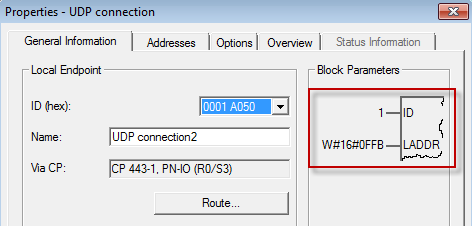
The automatically assigned function block parameters are needed later in step 6.
-
Enter the IP address of the ibaPDA computer as partner IP address and the configured port number (standard: 4170) and select a unique local port number.
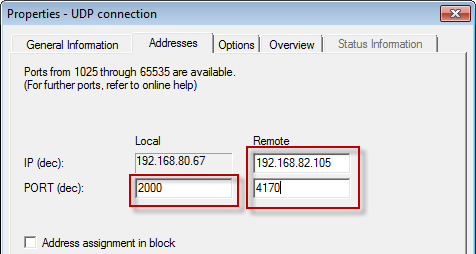
The connection table of the CPU now displays the newly configured connection.
-
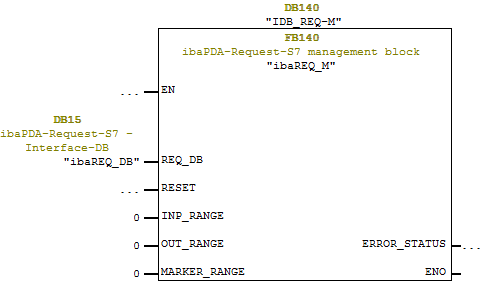
Call the ibaREQ_M (FB140) preferably within the OB1.
-
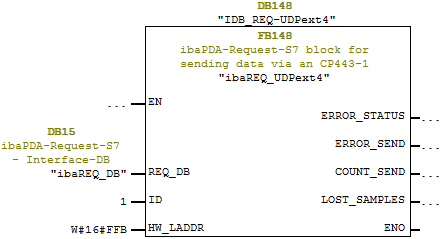
Call the ibaREQ_UDPext4 (FB148) preferably in the context of a cyclic interrupt OB (OB3x).
For each additional Request module
-
In the blocks folder, a data block ibaREQ_DB (DB15) has to be available for each Request module. Copy the data block and assign a new unique DB number.
-
Configure a separate connection for each Request module (steps 1 to 4). Assign different local port numbers.
-
Within the OB1, the ibaREQ_M (FB140) has to be called once more with the new DB number (input REQ_DB) for each Request module (step 5).
-
Within a cyclic interrupt OB (OB3x), the ibaREQ_UDPext4 (FB148) has to be called once more with a new DB number (input REQ_DB) for each Request module (step 6).
-
Make sure that all instance data blocks are unique and that unique values are assigned for the ID and HW_LADDR parameters.
Final
-
Load all blocks into the S7 CPU and restart the S7 CPU.