There are two options for using the blocks from the library.
-
Display the block library and drag the required blocks to the opened destination block.
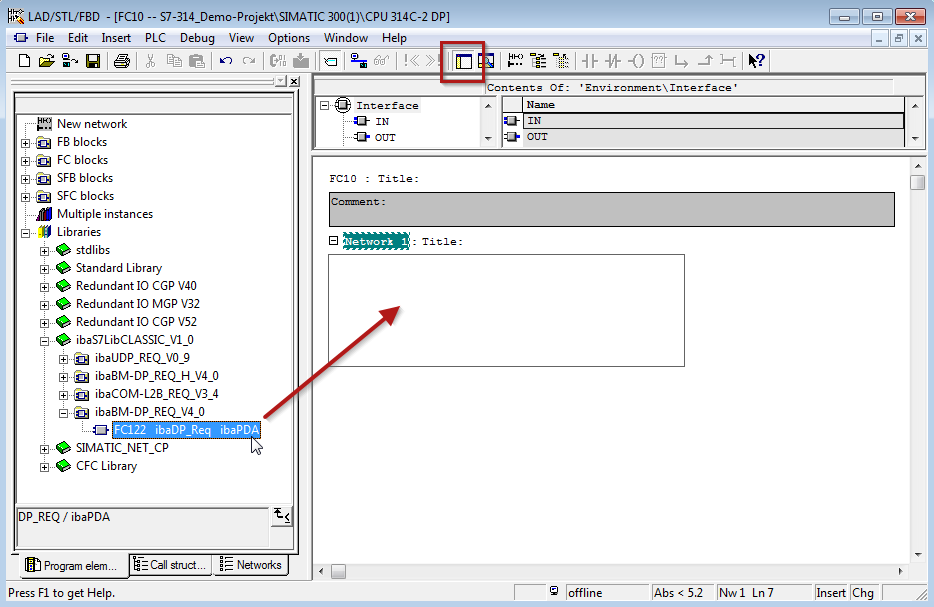
-
Open the library via File – Open – Libraries, and the required destination project in parallel.
With the <Tile horizontal> button, both projects can be displayed side by side.
You can either drag & drop the blocks or copy & paste them.
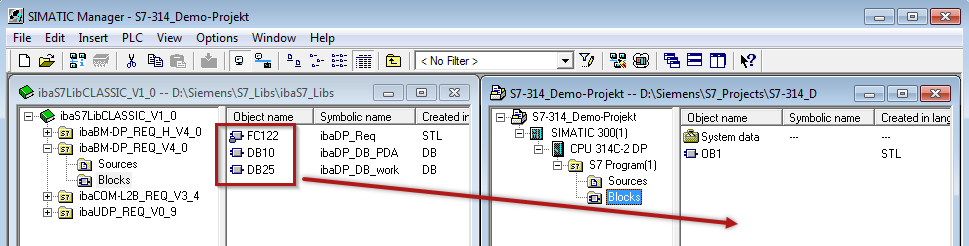
You can now use the blocks in the destination project.