For integrating the library, it has to be retrieved in the SIMATIC Manager. Copy the iba S7 library to a local directory of your computer, on which the SIMATIC Manager is executed.
-
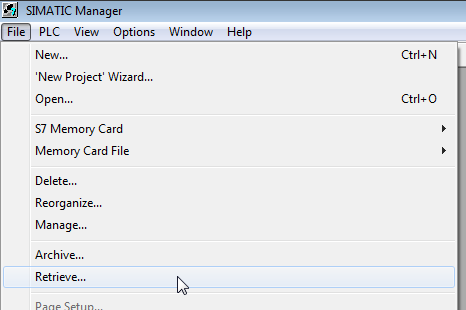
Select the menu File – Retrieve.
-
Select the archive file of the iba S7 library and select a storage location for the extracted library in a next step.
-
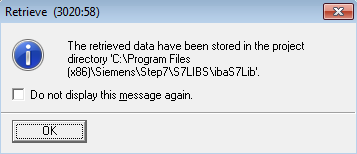
Confirm the message for a successful extraction.
-
Open the library by confirming the following dialog with <YES>.
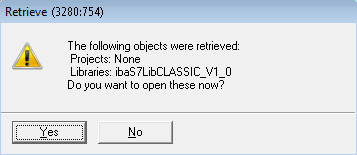
Now, the library is integrated and can be closed again.