Usually, each system can be configured as synchronized slave when configuring the multistation master, see Configuring the multistation master.
If you want to configure a system as a synchronized slave via its own I/O Manager, proceed as follows.
-
In the Multistation mode field, select the "Synchronized slave” (Slave) option.
The dialog shows additional settings options.
-
If necessary, adjust the port number and the value for the start timeout.
The port number must be identical to the port number of the master (default 9175).
-
You can also configure support for non-synchronized slaves, see Configuring a non synchronized slave.
The connection is always established from the master to the synchronized slave, so that the synchronized slave does not need to know the name or address of the master.
As soon as an ibaPDA system has been set to "Synchronized slave" mode, a "Multistation sync module" is automatically added to the I/O Manager of the relevant participant on the first free link of the ibaFOB-D card (Interrupt Master).
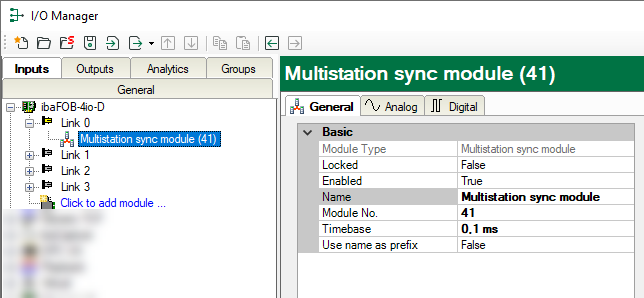
Like other modules, this module also has the General, Analog and Digital tabs. However, the settings and values are primarily intended for internal administration and debugging purposes. They have no practical use for the user.
Do not change the timebase setting, as this is already preset properly.
The module supplies two signals:
-
Analog value “Sync counter”, a 24 bit counter of synchronization messages
-
Digital signal “Clock”, a digital pulse signal running in 1 ms clock (interrupt)
These signals are also available in the signal tree for display and in the signal selection of the data stores.
-
