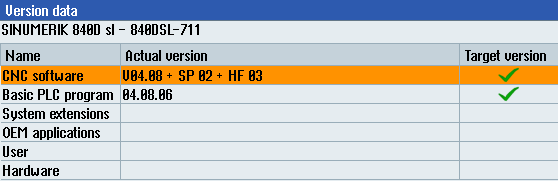
The NCK version is the version of the firmware that is installed on the flash card inserted in the SINUMERIK controller. The firmware version is printed on the flash card.
To find out the firmware version, you can either switch off the SINUMERIK controller and pull out the flash card.
Alternatively, you can determine the NCK version via the HMI.
-
In the HMI, open the Diagnostics tab by pressing the ALARM or Diagnostics key.

-
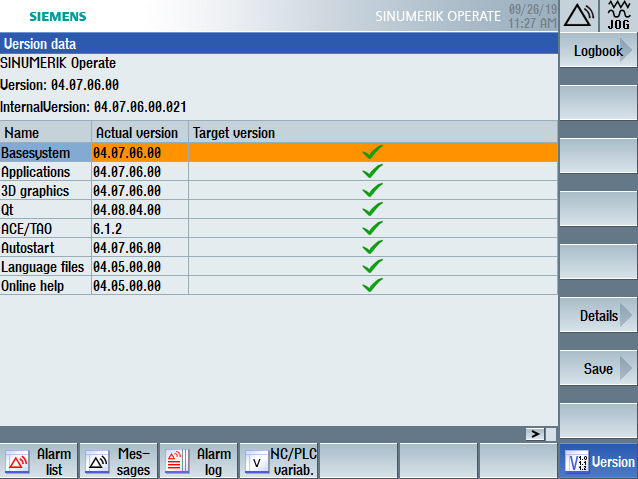
In the Diagnostics area, press the softkey Version at the bottom of the screen.

An overview of the versions of different components in the NC controller is displayed.
In the image below, you can see that firmware version 4.7 is used.
The next image shows an example of the version data of a different controller, with firmware version 4.8.