ibaPDA-S7-Xplorer Proxy is a standalone application that you can install with ibaPDA. After that, you can open the application and configure ibaPDA-S7-Xplorer Proxy.
Installation with ibaPDA
To use the ibaPDA-S7-Xplorer Proxy, observe the following points when installing ibaPDA:
-
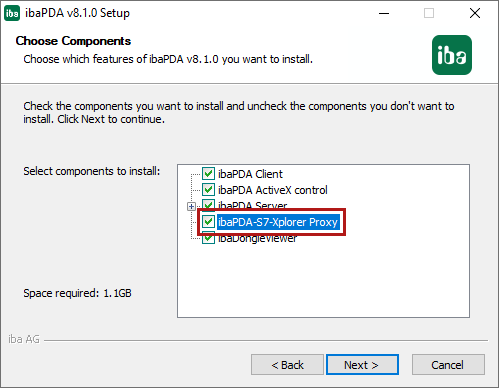
Install ibaPDA as usual. However, for the components, also select the ibaPDA-S7-Xplorer Proxy.
-
Select the default setting Local system account.

The ibaPDA-S7-Xplorer Proxy runs as stand-alone application.
ibaPDA-S7-Xplorer Proxy application

Status
Current operating state
Port
Used port
<Start>, Stop>
Manually starting and stopping the ibaPDA-S7-Xplorer Proxy
Auto-start when Windows starts
ibaPDA-S7-Xplorer Proxy is automatically started when starting the system and runs in the background.
S7 configuration
Starts the configuration dialog to set the SIMATIC PG/PC interface.
Diagnostics
Shows the ibaPDA server currently connected.
Module
Shows the modules currently active.