-
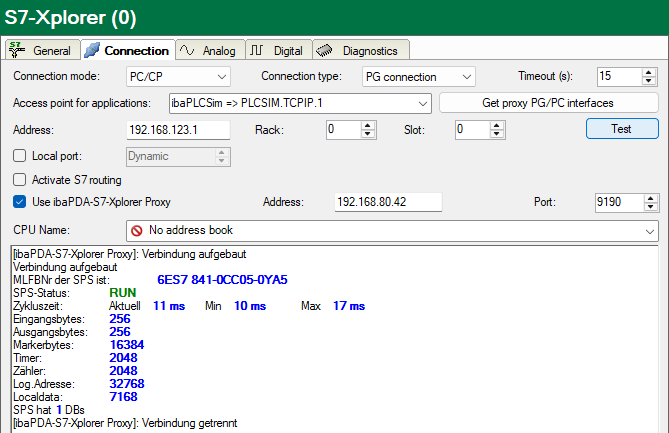
Add an S7-Xplorer module in the I/O Manager of ibaPDA.
Set the connection mode PC/CP and the connection type PG connection.
-
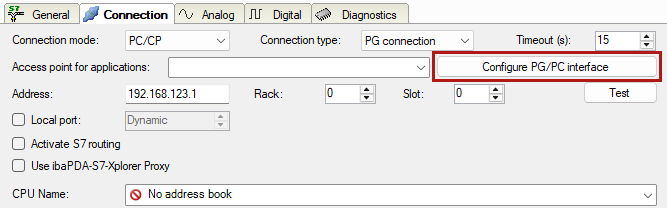
With the <Configure PG/PC interface> button, open the dialog for setting the PG/PC interface to configure an access point of the application.
-
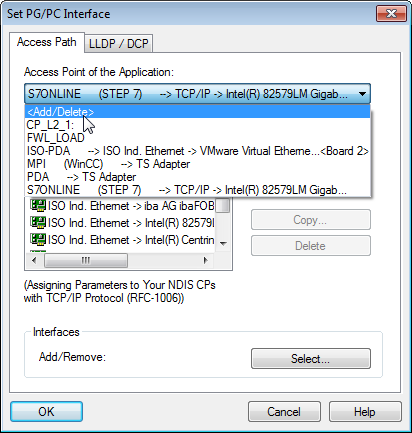
In the drop-down menu Access point of the application, select the line <Add/Delete>.
-
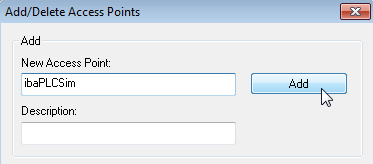
Specify the new access point: Enter a name, e.g. "ibaPLCSim", and optionally a description for better understanding. Confirm the entries with <Add> and <Close>.
-
Assign an interface parameter assignment to this access point, e.g. "PLCSIM.TCPIP.1".
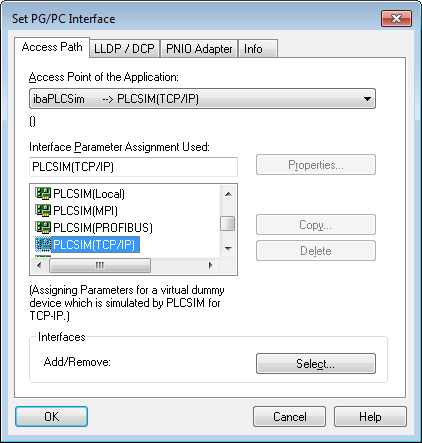
-
Close the configuration with <OK>.
-
In the ibaPDA module, enable the Use ibaPDAS7-Xplorer Proxy option.
-
If ibaPDA-S7-Xplorer Proxy runs on another computer, adjust the address accordingly and call the proxy PG/PC interfaces.
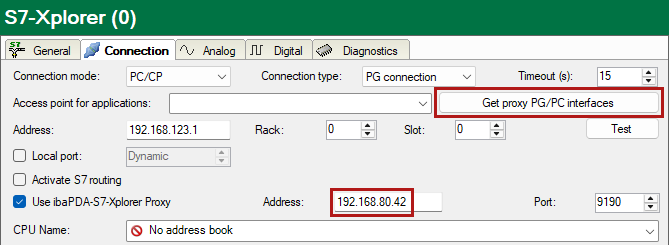
-
Select the previously created access point from the list.
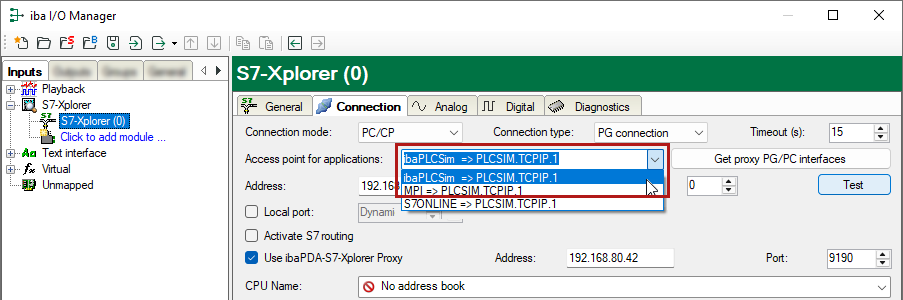
-
Check the connection with the <Test> button.