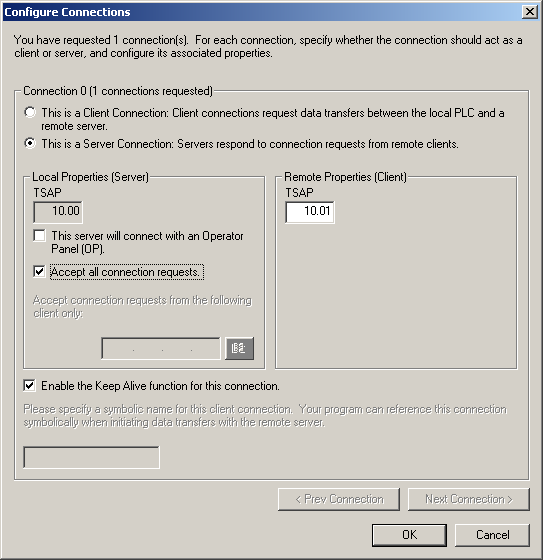
Access to the S7-200 is carried out via Ethernet. Therefore, you first have to establish a connection using the STEP 7-Micro/WIN software or parameterize an existing connection accordingly. The following figures provide more details on this.
-
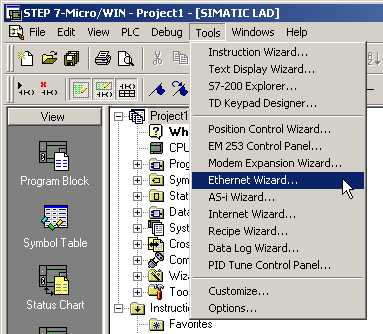
Select the menu Tools – Ethernet Wizard… in the STEP 7-Micro/WIN software.
-
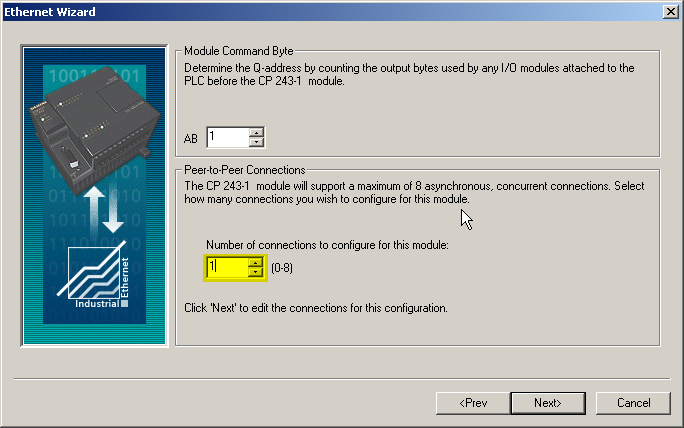
Create an Ethernet connection.
-
Select Server connection, enter a TSAP (e.g."10.00") and activate Accept all connection requests. The used TSAP has to be the same TSAP as in ibaPDA, see Module S7-200.