Access to LOGO! CPU is carried out via Ethernet only.
The following LOGO! types are supported:
-
SIMATIC LOGO! 0BA7
-
SIMATIC LOGO! 0BA8
When using LOGO! 0BA7, you first have to establish an Ethernet connection with your LOGO! software or configure an existing connection respectively.
Creating an Ethernet connection
-
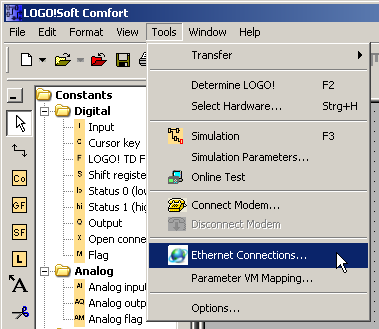
Select the menu Tools – Ethernet connections… in the LOGO! programming software.
-
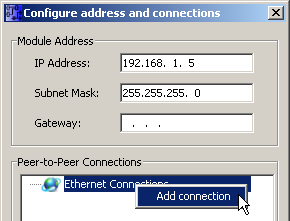
Select Add connection.
-
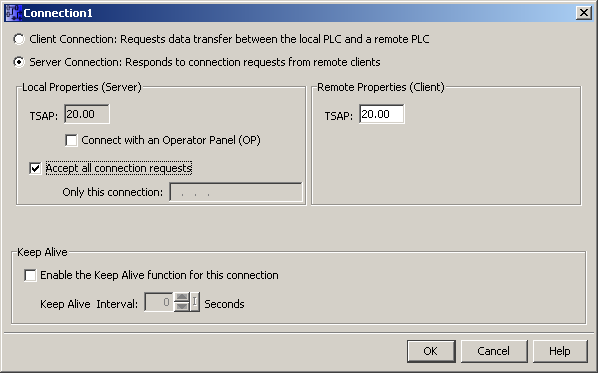
Select Server connection, enter a TSAP (e.g. "20.00") and activate Accept all connection requests. The used TSAP has to be the same TSAP as in ibaPDA, see Module LOGO!.


When using a LOGO! 0BA8, this is not required. However, the user has to consider here that every connection to the PLC has a 10 seconds timeout. Hence, an open connection is closed automatically if for a period of 10 seconds no user data are being exchanged.