You can find the user management in the main menu of the web client under User management.
User management allows the creation of different user accounts and supports both individual users and groups:
|
Local users/Local groups |
The access information is only valid for logging in to ibaManagementStudio and is set up and managed by the administrator user. |
|
Domain users/Domain groups |
The administrator user registers the domain groups or domain users in the ibaManagementStudio user management system. Thus, the access information for the domain can also be used to log in to ibaManagementStudio. |
All users and groups are sorted alphabetically. However, the user "admin" and the user group "Administrators" are always at the top position.
Permissions for users and groups
You can assign different permissions to the users and groups. A user can be a member of one or more groups. These groups can have different rights. The user's own rights and the rights of the groups complement each other to create the effective permissions for the user.
Domain users and domain groups
If the computer on which ibaManagementStudio server is running belongs to a domain, it is possible to add users and user groups from that domain. Please note that including a domain group also grants access to ibaManagementStudio to all domain users who are members of the group. If you add a single domain user, even though its domain group is already configured, you can assign special and advanced permissions to the user over and above those permissions assigned to its domain group.
Note |
|
|---|---|
 |
In most scenarios, the ibaManagementStudio server service runs under the system account. If the system account only has very limited domain rights, it is advisable to run the ibaManagementStudio server service under a dedicated account with domain access. |
Note |
|
|---|---|
|
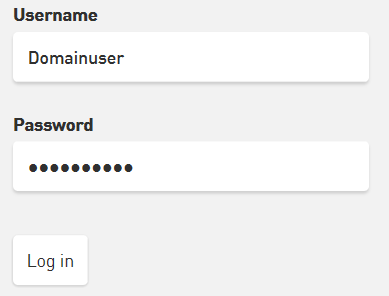
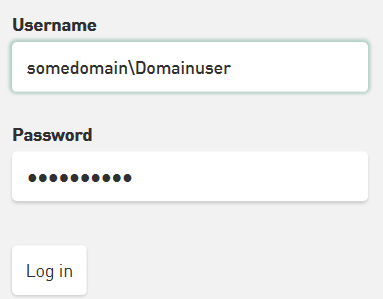
When logging in as a domain user in the web client, it is not necessary to specify the domain name in the Username field. It is sufficient to use only the user's username or e-mail address.
However, if ibaManagementStudio is running in an environment with multiple Active Directory domains, the username should still be preceded by the domain name.
|