Note |
|
|---|---|
 |
This function is only available with the ibaManagementStudio+ license. |
You have to use the file-based update via the web client of ibaManagementStudio if ibaManagementStudio Server cannot reach the iba Gateway for WIBU licenses.
Prerequisites
-
For the system on which you want to perform the license update, the permission for remote actions is enabled, see Editing systems.
-
On the system on which you want to perform the license update, the ibaManagementStudio (v2.0.0 or higher) is running and a connection to the ibaManagementStudio server is established.
-
You are using ibaManagementStudio Server v2.0.0 or higher.
-
You also need the "Edit" permission for the respective system in the ibaManagementStudio user management.
-
There is no connection to the iba Gateway for WIBU licenses.
Other documentation |
|
|---|---|
 |
Further information on handling WIBU licenses in the CodeMeter License Central WebDepot of iba can be found in the manual WIBU CodeMeter for iba Users. |
Updating WIBU licenses file-based
Note |
|
|---|---|
|
The service of the software products on this system is stopped during the update. This means that e.g. ibaPDA cannot acquire signals as long as the update is running. |
-
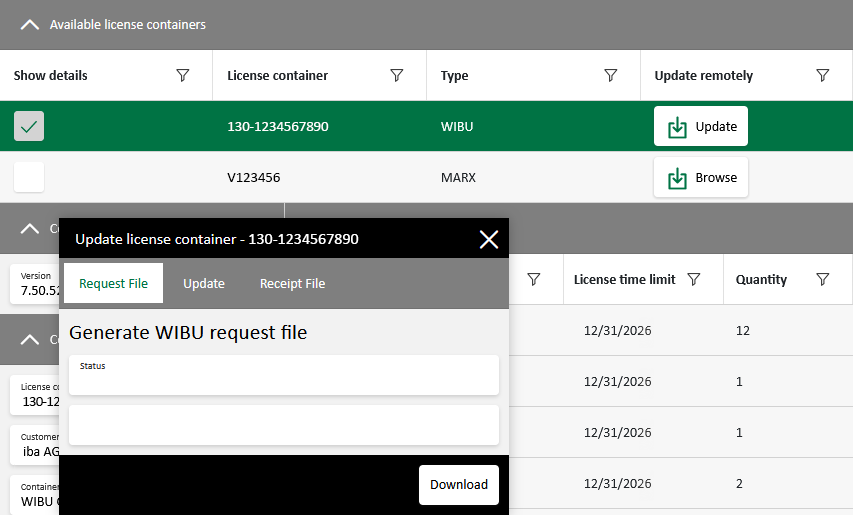
Select a system under Systems in the main menu and open the License information tab.
-
In the list, click on the <Update> button in the line of a WIBU license.
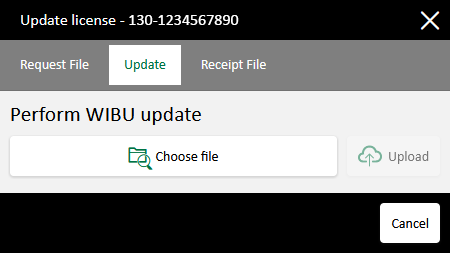
A dialog box with 3 tabs appears.
-
In the Request file tab, download the license request file with the extension .WibuCmRaC.
-
Open CodeMeter License Central WebDepot of iba in a new window/tab of your web browser: https://license.iba-ag.com/index.php
-
Enter the ticket number for your WIBU license.
-
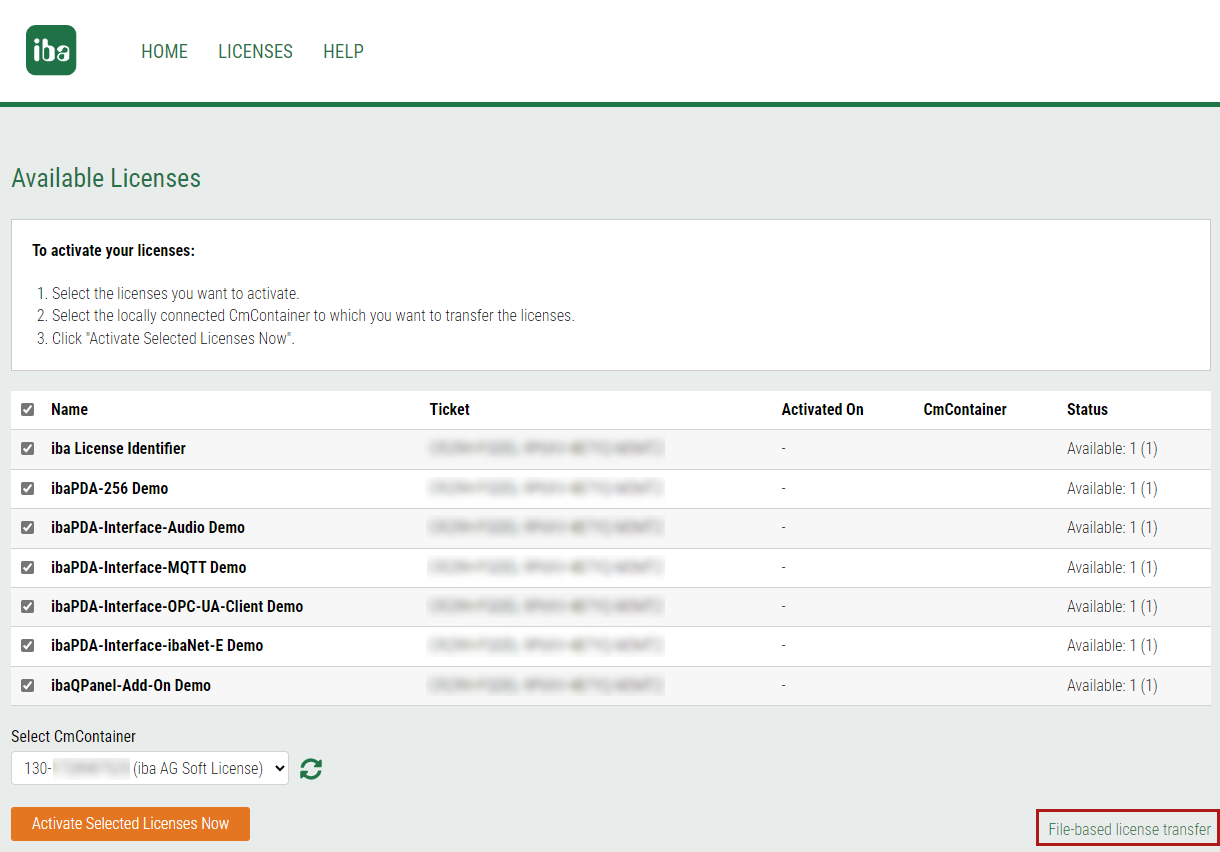
Select the licenses you want to update and click <Activate Licenses>.
-
Select File-based license transfer under the license overview.
-
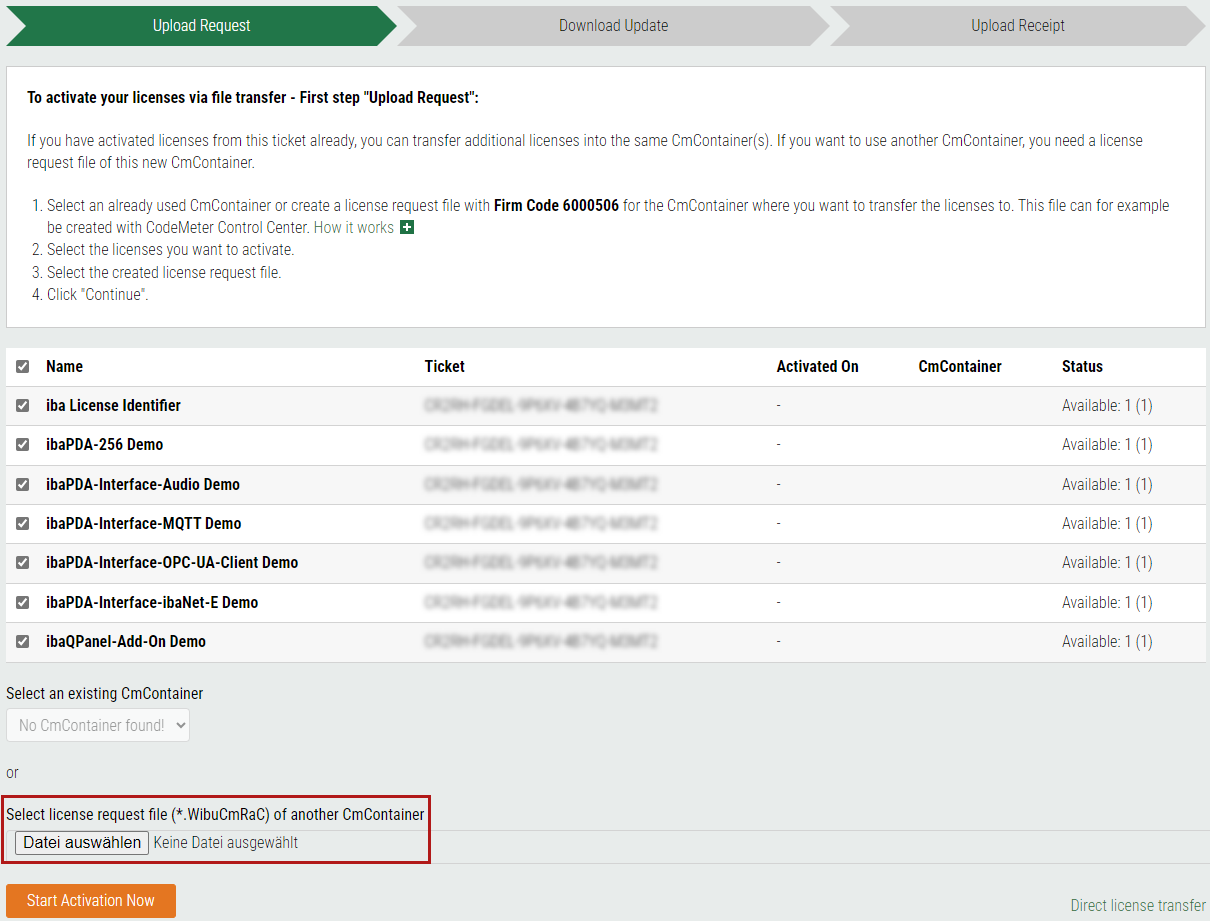
Select the license request file with the extension .WibuCmRaC in the corresponding field and upload the file via <Start Activation Now>.
-
In the following window, download the license update file with the extension .WibuCmRaU.
-
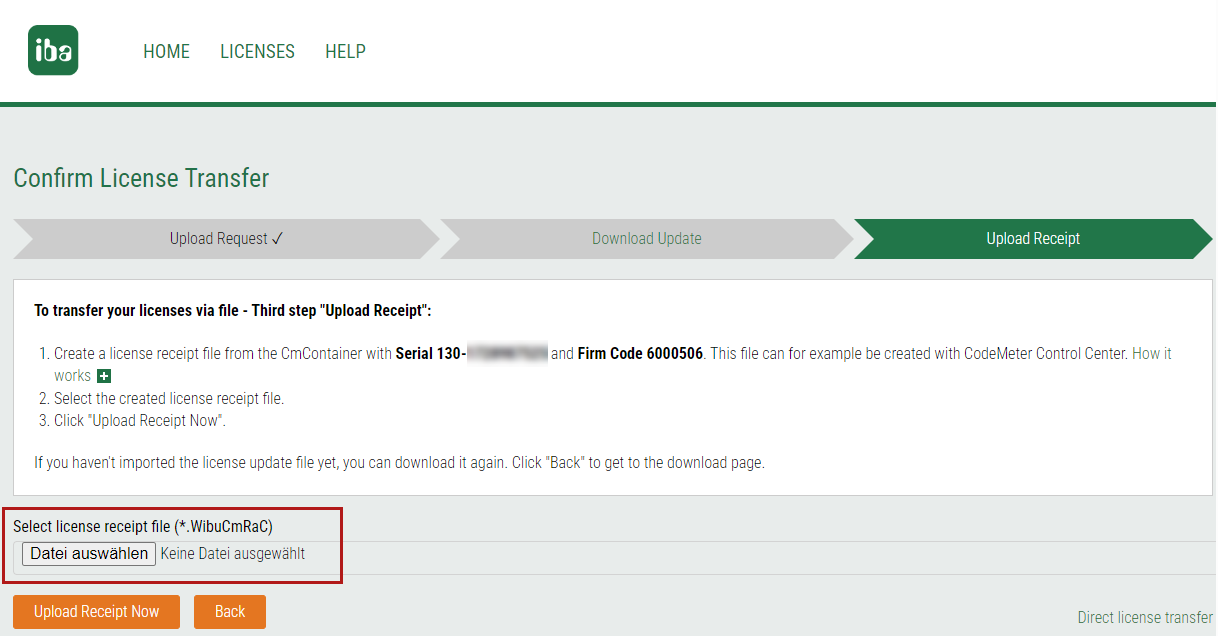
Keep the web page open to upload the receipt file later in the following window.
-
-
Upload the license update file with the extension .WibuCmRaU in the Update tab of the Update license container dialog in the ibaManagementStudio web client.
-
Once the file has been successfully uploaded, download the receipt file with the extension .WibuCmRaC in the Receipt file tab.
-
Now upload the receipt file again in the CodeMeter License Central WebDepot of iba.