Note |
|
|---|---|
 |
This function is only available with the ibaManagementStudio+ license. |
If you store remote access data for systems, you do not need to enter the access data again when updating the software on these systems. You can save a lot of time, especially if you are updating several systems at the same time, see Updating iba software products on multiple systems.
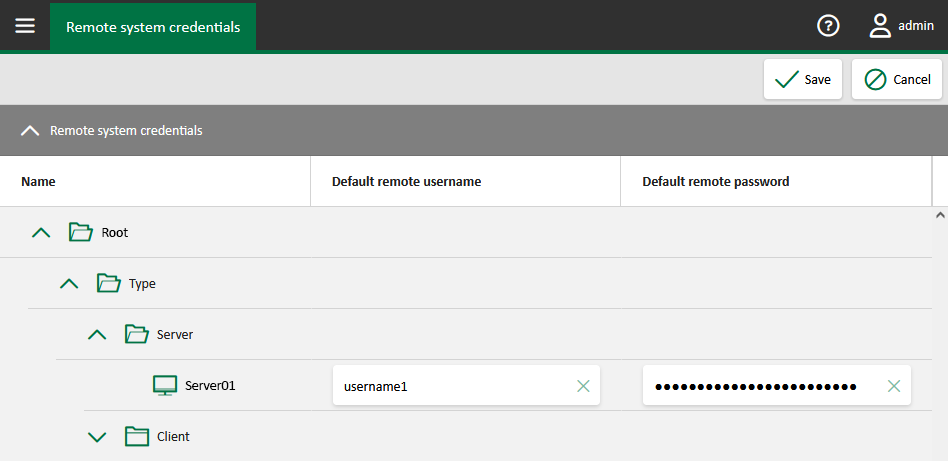
In the main menu under Settings – Remote system credentials, you can store access data for each system to which you have access. This access data is only saved for your ibaManagementStudio user and have no effect on the settings of other users.
-
Enter a remote user name and the corresponding password as default data for the desired systems.
-
Confirm the entries with <Save>

Note |
|
|---|---|
|
The remote system credentials are secured in the database of the ibaManagementStudio Server using multi-layer two-factor encryption. Decryption is only possible by the server process on the system on which the data was originally encrypted. Even with full database access, decryption by third parties (including iba employees) is not possible. |