-
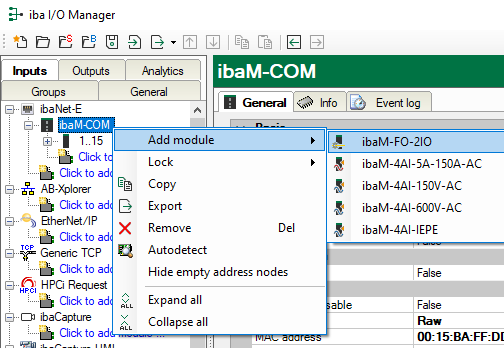
If ibaPDA does not detect the module automatically, then you can also add the module manually.
-
Right-click on the IO bus link.
-
Select Add module and select the desired modules from the list.
-
To configure the module, see the following chapter.
-
Click <Apply> or <OK> to apply the new configuration.
