To add and delete users in ibaHD-Server, the following buttons are available at the bottom:
|
|
Add local user/domain user (in ibaPDA client, a distinction is made between ibaPDA users and ibaHD-Server users). |
|
|
Delete selected local user/domain user |
|
|
Load users from an existing user file (*.pda_users) |
|
|
Save the configured (ibaPDA) users in a user file (*.pda_users), incl. all permissions and passwords |


-
To add a new user, click on the button
 .
. -
Enter the user name and optionally a password.
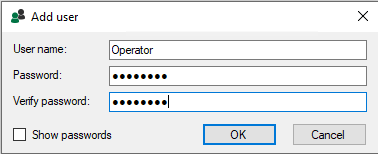
The user can also specify or change the password at a later time, see Changing the password.
-
Exit the dialog with <OK>.
