You can use signal conditions to configure conditional queries and limit the query to certain events or signal states within the set time range.
-
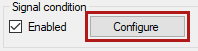
Activate the Enabled option.
-
To configure the signal conditions, click on the <Configure> button.
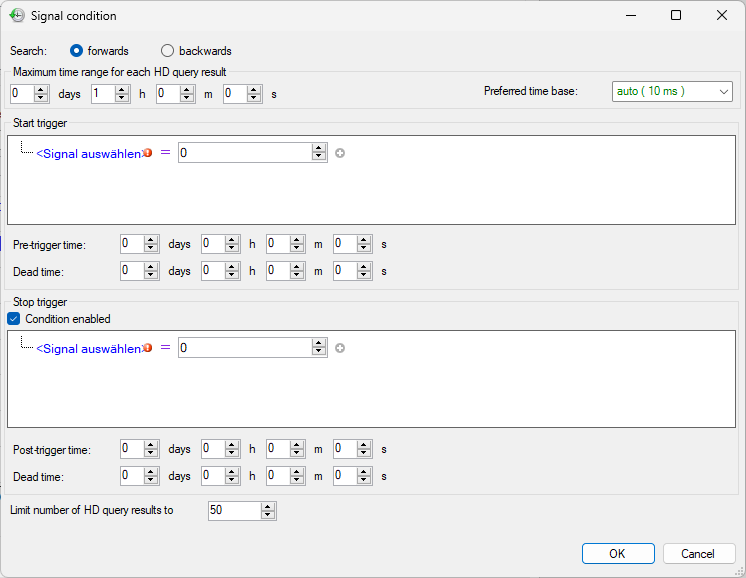
The Signal condition dialog opens.


Search
Select whether you want to search for conditions forwards or backwards in time. If forwards is selected, ibaAnalyzer starts searching for events of the specified condition, starting from the start time to the end time. If backwards is selected, ibaAnalyzer starts searching from the end time to the start time (i.e. backwards in time).
Maximum time range for each HD query result
The query with reference to a specific signal condition can return several results because a measurement file is generated for each time the condition is met. You can set the maximum length of these query results here.
If you use a stop trigger and it fails, this setting limits the length of the query result.
Start trigger
Use the Start trigger to configure the condition that defines the event or signal status to be searched for. The time at which the event occurs is the start of the query result or the measurement file. You determine the end of the query result either by a Stop trigger or the setting for the maximum time range.
Various editor functions are available in the Start trigger field for defining the signal condition.
The start trigger triggers when the overall result of the condition is fulfilled.

|
1 |
Logical link |
By default AND Click on the link to switch between AND and OR. |
|
2 |
Add expression |
|
|
3 |
Blue font |
Signal tree for signal selection |
|
4 |
Operator |
Comparison operators for selection |
|
5 |
Comparison value |
Digital signals: True/False Analog signals: Value input |
|
6 |
Remove expression |
Complete expression or group is removed. |
|
7 |
Add expression group |
Indented, with a separate logical link, you can add further expressions that are initially linked within the group. The group result then leads to the result with the superordinate link. |
Pre-trigger time
Specify how much time should be included in the query before the start trigger.
Dead time
Specify how long the time range is after a start trigger before a new start trigger is detected.
Stop trigger
Optionally define the end of a query range. The settings for the formulating the condition, the post-trigger and the dead time correspond to the start trigger.
Limit number of HD query results to …
Here you can limit the number of query results for a file group.