The time period table offers advanced configuration options in the time period selection
area. To open the time period table, click on  .
.
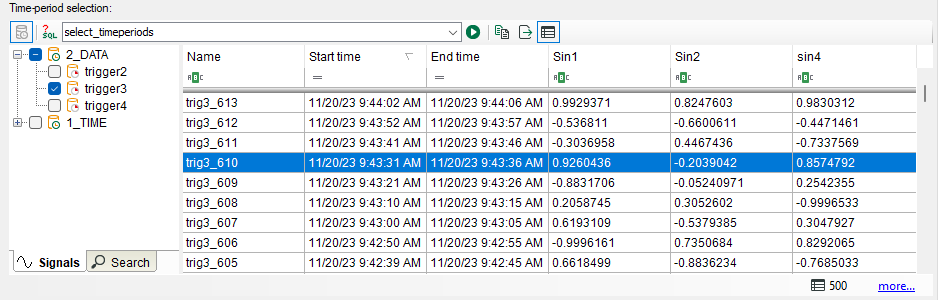
The table shows the latest time periods from the defined time range. You can sort and filter the table and display calculated columns. The filter has no effect on the processing.
Controls for the time period table
 |
Shows the latest time periods |
 |
Opens the editor to create SQL queries |
 |
Executes the SQL query selected in the selection list |
 |
Copies the time periods marked in the table to the clipboard. Only possible in pause mode. |
|
|
Exports the time periods marked in the table to an Excel or text file. Only possible in pause mode. |
|
Shows and hides the time period table. |

By default, all time periods in the selected time period storage are processed. By using SQL type queries, specific time periods can be processed.
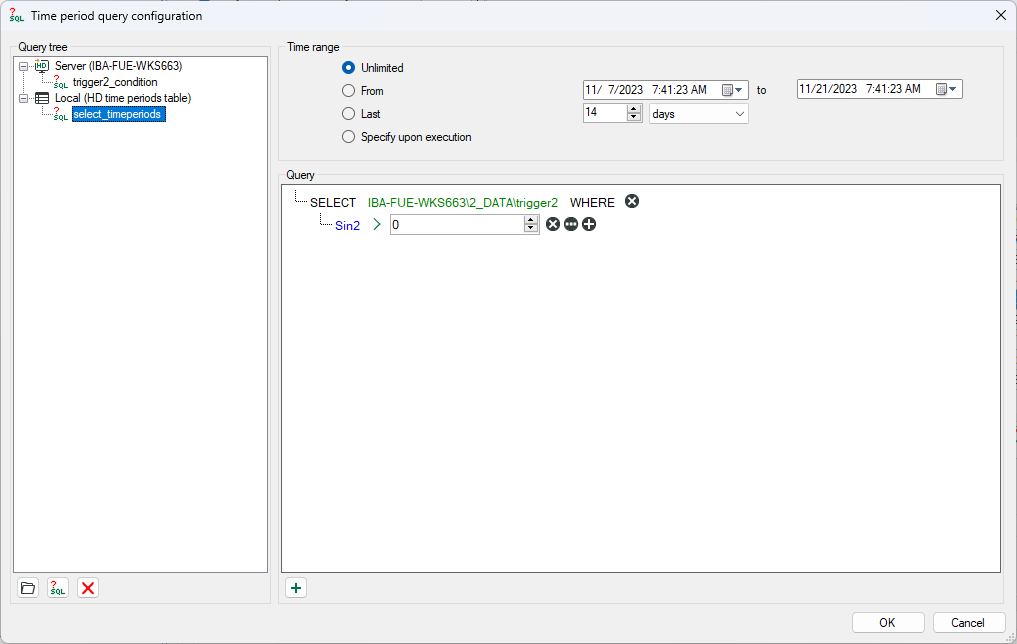
To open the query editor, click on . You can add local queries that are stored in the job configuration, or store queries
on the ibaHD-Server so that all connected clients can use the same server queries.
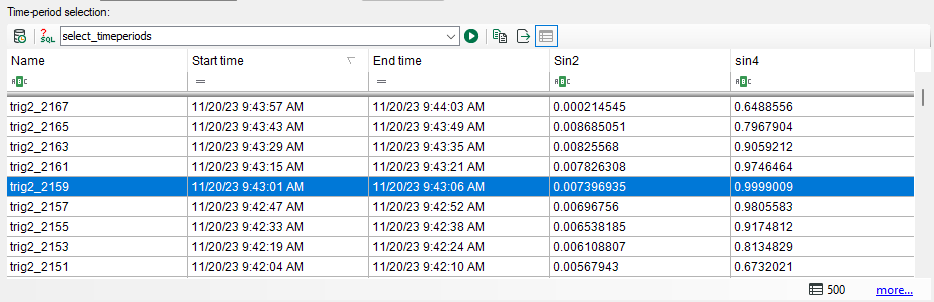
Select a query from the list. To execute the query, click on . The table then displays the time periods that meet this condition. When the job
starts, only the time periods queried here are processed.
Other documentation |
|
|---|---|
 |
A detailed description of how to configure time period queries can be found in the ibaHD-Server documentation. |