When DAT files are processed using a DAT file job, ibaDatCoordinator marks these DAT files with an info field. To reprocess the files, you must remove the flags.
-
Open the desired DAT file job.
-
At the top of the configuration area click
 .
.A file browser will open, displaying the available folders and files on your network.
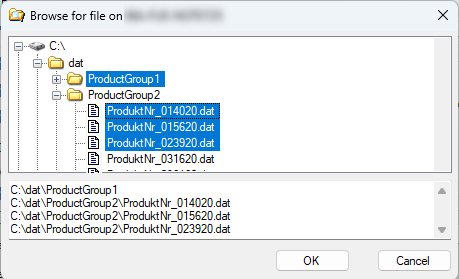
-
Select one or more folders or files and click <OK>.
To select multiple items, hold down the <CTRL> key. If the Check subdirectories option is enabled in the job configuration, files in subfolders will also be included.
ibaDatCoordinator removes the corresponding flag from the DAT files and treats them as if they were newly created.
