The merge task in ibaDatCoordinator supports multistation operation by creating a single consolidated data file per event, even when the recording is distributed across multiple computers. The merged file provides a quick and comprehensive overview of the event and enables automated post-processing based on predefined analysis rules. Automated reporting workflows are also built on this concept.
Other documentation |
|
|---|---|
 |
Further information on ibaPDA-Multistation can be found in the corresponding documentation in the download area of the iba website. |
The following example shows the configuration for automatically merging data files from multiple ibaPDA systems in multistation operation using ibaDatCoordinator. The measurement data from the ibaPDA systems is recorded synchronously, meaning that the data files have identical values in the "starttime" info field. For easier analysis, the data files should now be merged.
The data used in the example can be found on the "iba Software & Manuals" data medium
04_Libraries_and_Examples\110_ibaDatCoordinator-Multifile\02_Merge_Energy.
Prerequisite: The data files from the ibaPDA systems are available.
|
ibaPDA system A |
ibaPDA system B |
|---|---|
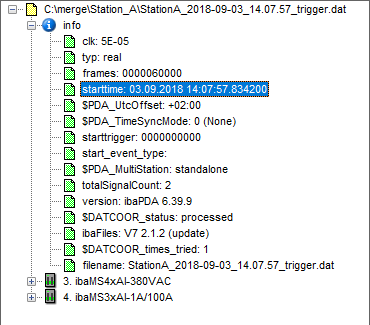 |
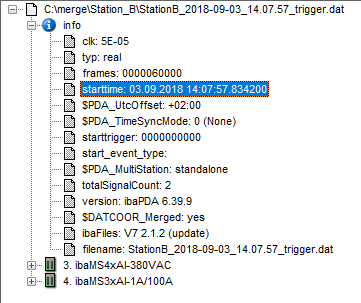 |
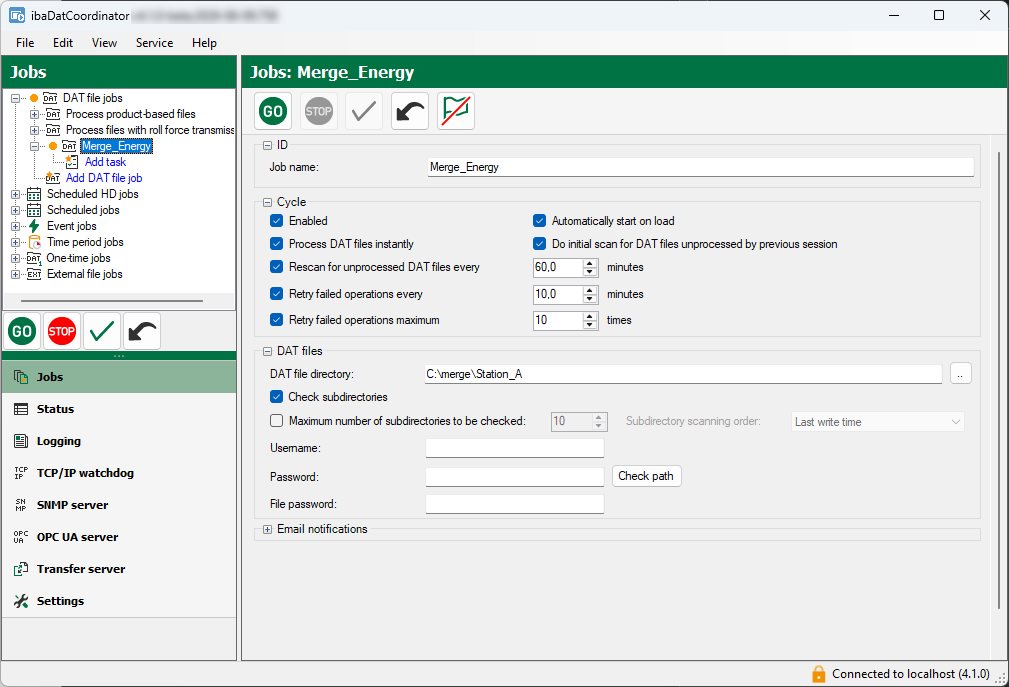
Create job
To merge the files, you can use a DAT file job, for example.
-
Enter a job name (in the example, "Merge_Energy").
-
Select the DAT file directory.
The directory corresponds to the main directory of the merge task and, in the example, corresponds to the directory of an ibaPDA system (station A).
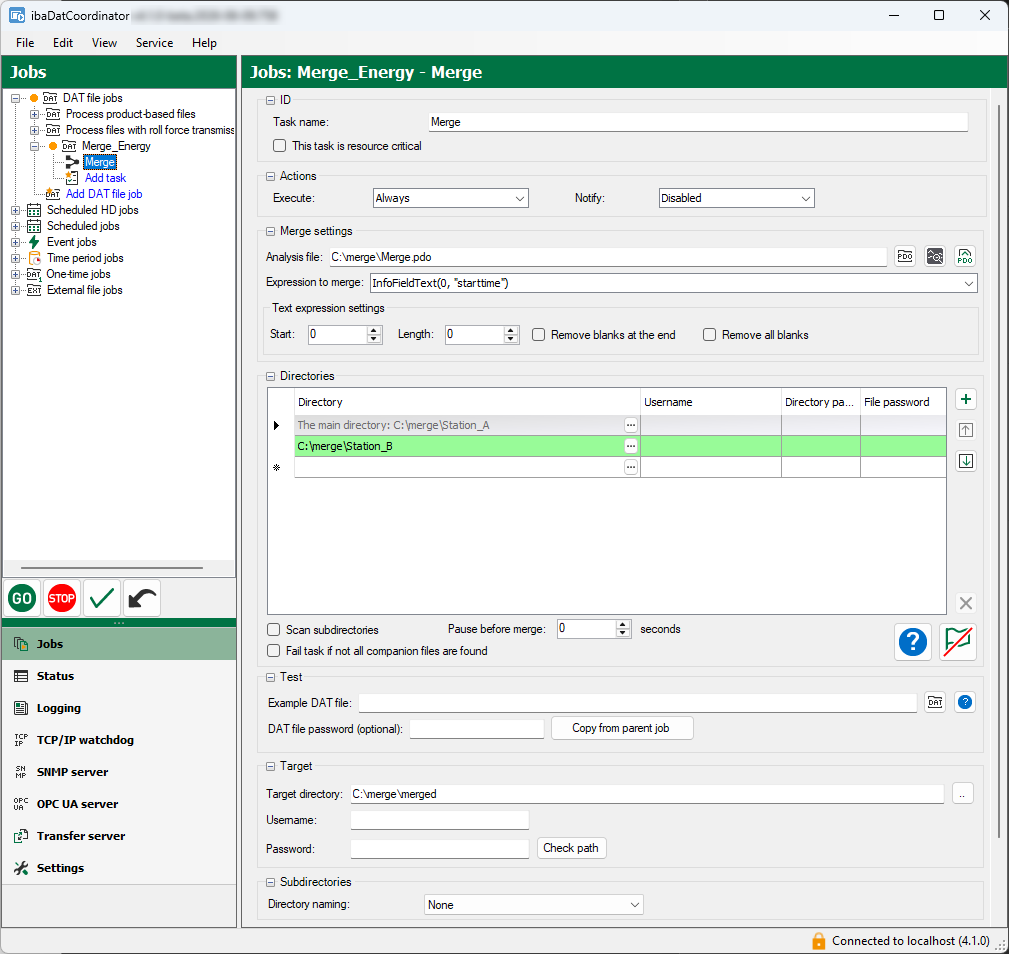
Create merge task
-
Assign a name to the task (in the example, "Merge files based on start time").
-
Select the analysis file (here
Merge.pdo). -
Add additional directories in which the data files of other ibaPDA systems in the multistation network are stored and which are to be merged with the data files in the main directory.
-
Enter an expression for merging.
This expression defines the criteria according to which the files are to be merged. The expression in the example "InfoFieldText(0, "starttime")" merges the DAT files based on the info field "starttime".
Other documentation
Detailed information on the use of expressions can be found in the ibaAnalyzer documentation, part 3 “Expression builder”.
-
Specify a target directory where the resulting data files should be saved (in the example,
C:\merge\merged).
Execute job
When you start the job, the files from the ibaPDA systems are merged and saved in the specified target directory. The following image shows the result of such a DAT file.
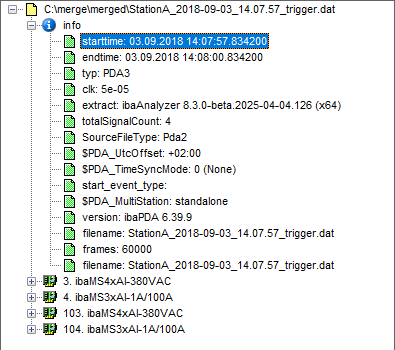
The image shows that the module numbers from the data files of ibaPDA System B were automatically changed from 3 to 103 and from 4 to 104, respectively.