The job types scheduled job, event job, and time period job, as well as the HD import task, require a connection to an ibaHD-Server.
In the dialog area for the ibaHD-Server connection, the currently connected ibaHD-Server and port, the user currently logged on to the ibaHD-Server and the available folders are always displayed.
To establish a connection to an ibaHD-Server, proceed as follows.
-
Click on the <Select server> button to open the selection dialog for the ibaHD-Server.
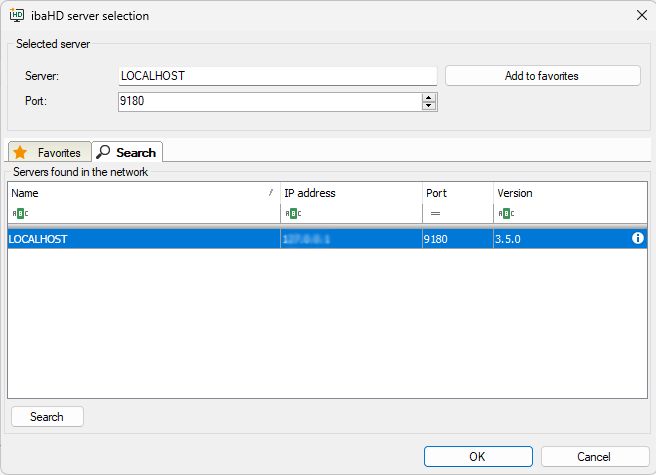
The table lists all ibaHD-Servers that are currently active in the network. If the desired ibaHD-Server is not displayed, try the <Search> button.
If the ibaHD-Server is not displayed even after the search, enter the IP address or the computer name of the ibaHD-Server in the address field above and click <OK>.
-
When the desired ibaHD-Server appears in the list, select it and close the dialog box by clicking <OK>.
-
If user management is enabled on the relevant ibaHD-Server, you must then enter or select a user name and enter the correct password.
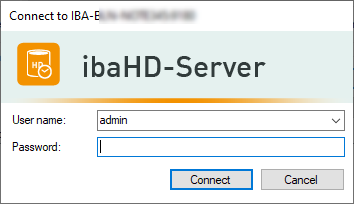
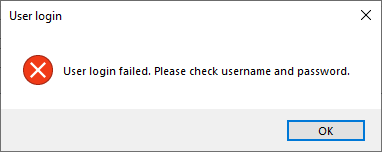
If the password is not correct, an error message will appear.
If the user data is not entered correctly or the connection to the ibaHD-Server cannot be established for other reasons, another error message appears in the window for the shelves.
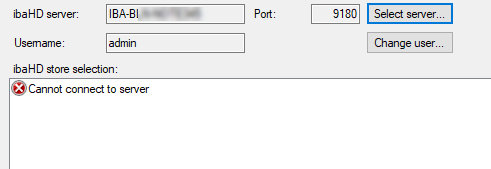
Check the configured users in the ibaHD Manager and, if necessary, create a suitable user or assign a new password.


