To quickly establish a connection between the ibaHD-Server and ibaDaVIS, use the "ibaHD API Quick Connect" function.
-
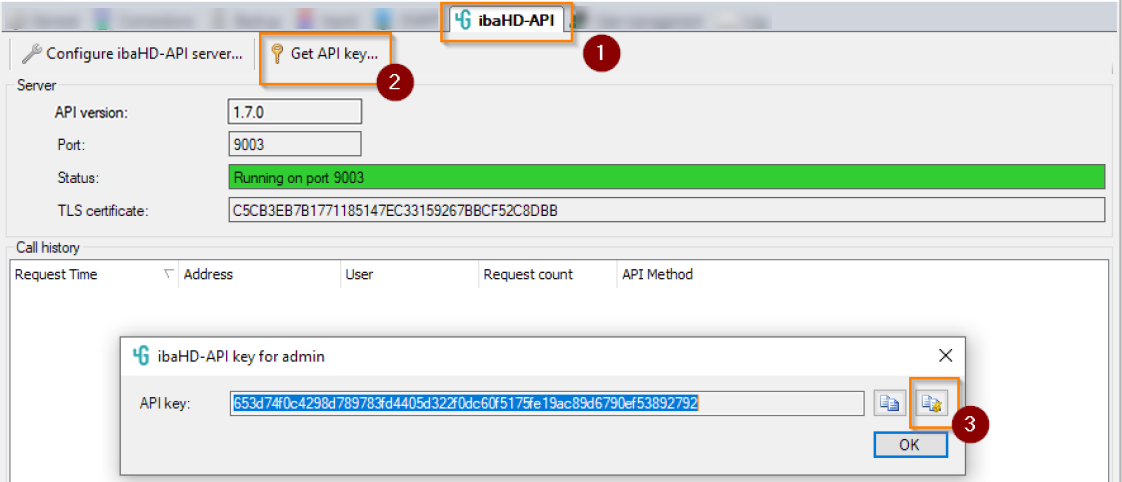
In the ibaHD Manager, open the ibaHD-API tab (1).
-
Click on the command Get API key for admin... (2).
The ibaHD-API key for admin dialog opens.
-
Click on the quick connect button (3).
The connection information is copied to the clipboard as a string.
Tip

To simplify the transfer of the connection information from the clipboard, open the browser of the computer on which the ibaHD-Server is installed and log in to ibaDaVIS here.
-
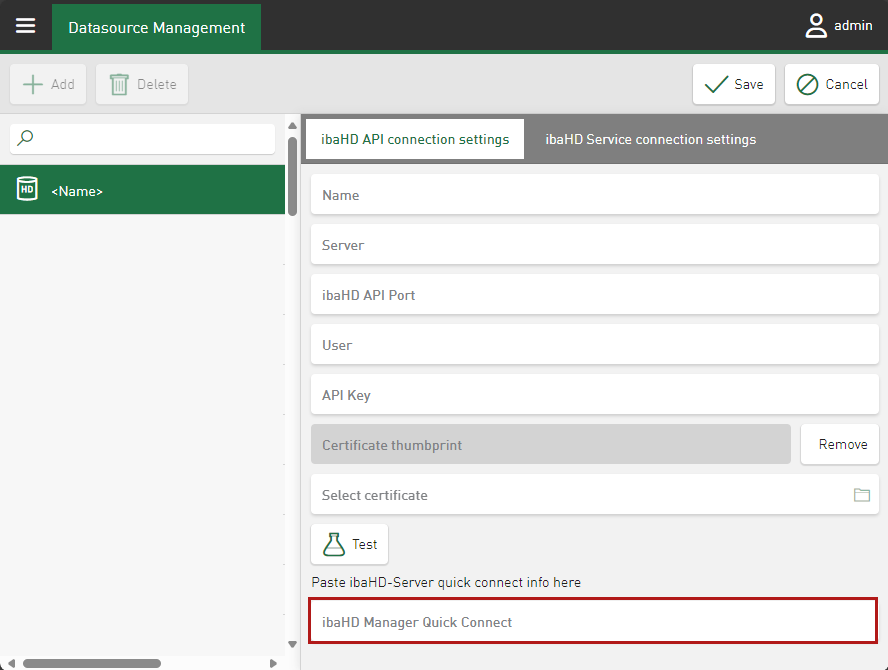
In ibaDaVIS, call up the tab ibaHD API connection settings.
-
Insert the connection information as a string in the ibaHD Manager Quick Connect input field.
-
Proceed as described in the chapter Configuring a ibaHD-Server connection.

