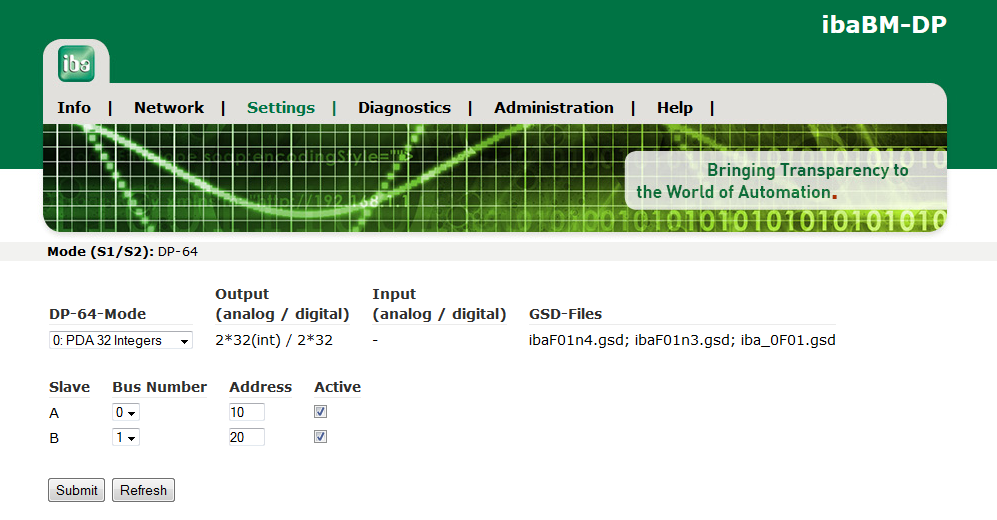
The figure shows the Settings page, when the device is set to compatibility mode 3Mbit (DP-64 mode).

In this mode, the device has to be configured via the web interface. The settings are made on the Settings page.
-
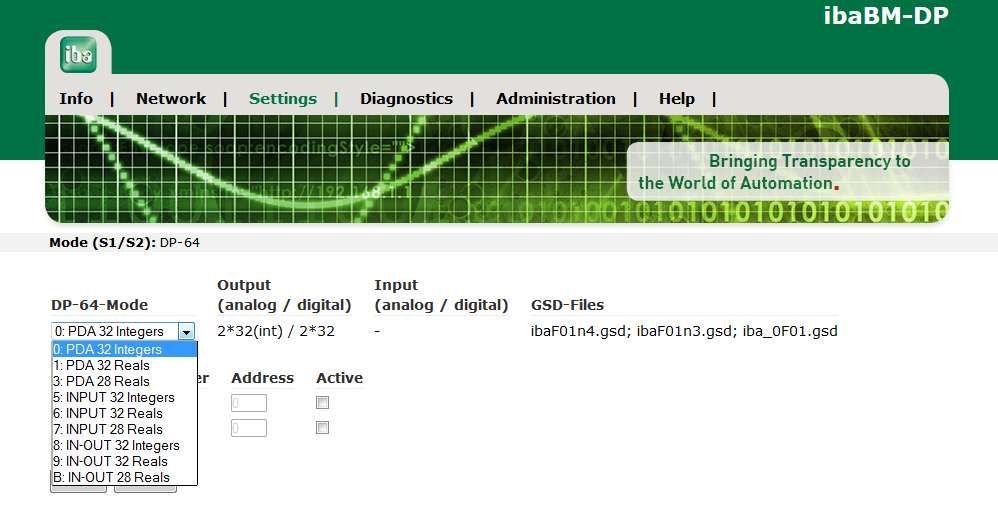
The operating mode can be selected in the combo box DP-64-Mode.
To open the selection list, click on the arrow in the box. The mode names correspond to those described in chapter Operating modes overview.
-
Make sure that the two slaves are assigned to the correct bus line (bus 0 – connector X40, bus 1 – connector X41).
-
Enter the slave address for each slave, as they are given in DP project engineering.
The allowed address range reaches from 0 to 126.
Note

You can deactivate the slave with the checkbox Active.
-
Use the <Submit> button to save the settings in the device.
-
Use the <Refresh> button to refresh the settings display.

