You have various options for publishing a report. On the one hand, you can output the report directly in ibaAnalyzer via the Report dialog. On the other hand, you can also set up automatic output using the Report task in ibaDatCoordinator or via the command line.
Note |
|
|---|---|
 |
When you start a test print in the Report Designer, the contents of the currently visible layers are printed on the default printer without further confirmation. Then in some cases, only sample data is printed, not the actual signal data. Use the Print report function in ibaAnalyzer, see Generating a report manually. |
Other documentation |
|
|---|---|
 |
For more information on configuring jobs and tasks, see the ibaDatCoordinator documentation. |
Tip |
|
|---|---|
 |
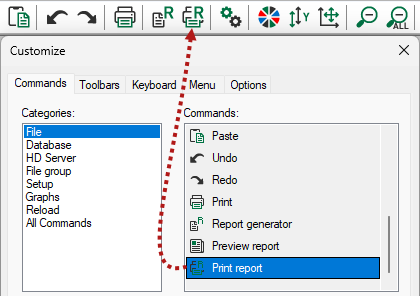
You can also add the menu command for printing the report as a button to the toolbar in ibaAnalyzer. To do this, in the View – Toolbar Setup menu simply drag the relevant command from the dialog as a button into the toolbar.
|
These are the topics: