The footer should contain dynamic page number. To do this, you can use a text field and variables from the Report Designer.
-
From the Insert menu, select the Text object.
-
Use the mouse to drag a rectangle in the workspace where you want to place the title.
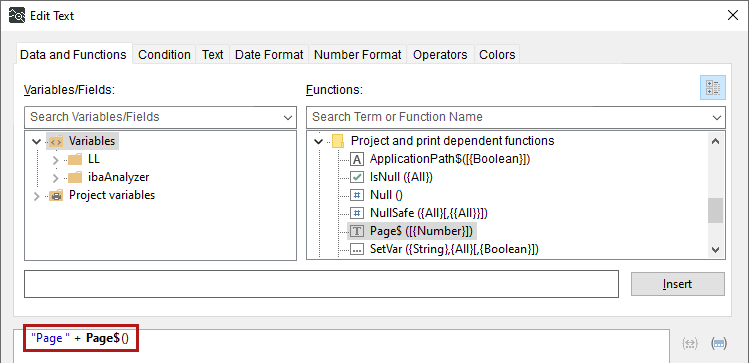
The Edit Text dialog opens.
-
Enter the static text in quotation marks, e.g., "Page ".
Make sure to include the spaces inside the quotation marks as well.
-
On the Data and Functions tab, in the Functions section, select the page number variables, for example, under Miscellaneous Functions. Double-click Page$ to insert the function.
-
Confirm with <OK>.
-
If necessary, resize the text field using the anchor points on the object frame.

Further options
You can also use the total number of pages to create a footer that reads "Page 2 of 4".
