In the Report Designer, you have access to geometric shapes that you can use as design elements for your report.
-
From the Insert menu, select the Rectangle object.
-
Use the mouse to drag a rectangle in the workspace, e.g., as bars around the title.
-
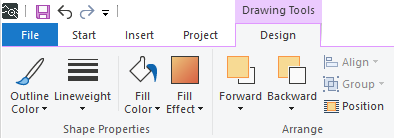
Customize the appearance of the rectangle in the Design sub-menu. For example, you can give the rectangles a green fill color.
-
For this example, separate the footer with a line.

Further options
-
All geometric objects can be edited using the Design sub-menu.
-
You can configure additional settings in the object-specific properties.