You can add a link to the DAT file that serves as the basis for the data in the report. The link is generated using a text field and the "pathname" variable, which ibaAnalyzer provides by default.
-
From the Insert menu, select the Text object.
-
Use the mouse to drag a rectangle in the workspace where you want to place the link.
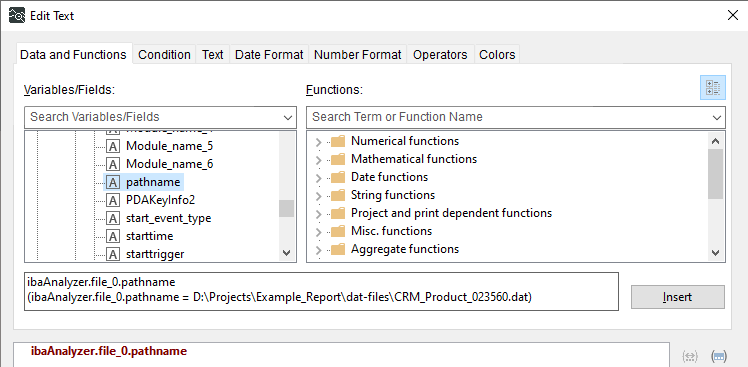
The Edit Text dialog opens.
-
On the Data and Functions tab, select the variable "pathname" under "file_0" in the ibaAnalyzer variables.
-
Confirm your changes in the dialog with <OK>.
-
If necessary, resize the text field using the anchor points on the object frame.
-
To make the link in the report output clickable and open the DAT file directly, edit the properties of the text object in the Report Designer by double-clicking the Link field.
Enter the following:
"file://" + ibaAnalyzer.file_0.pathname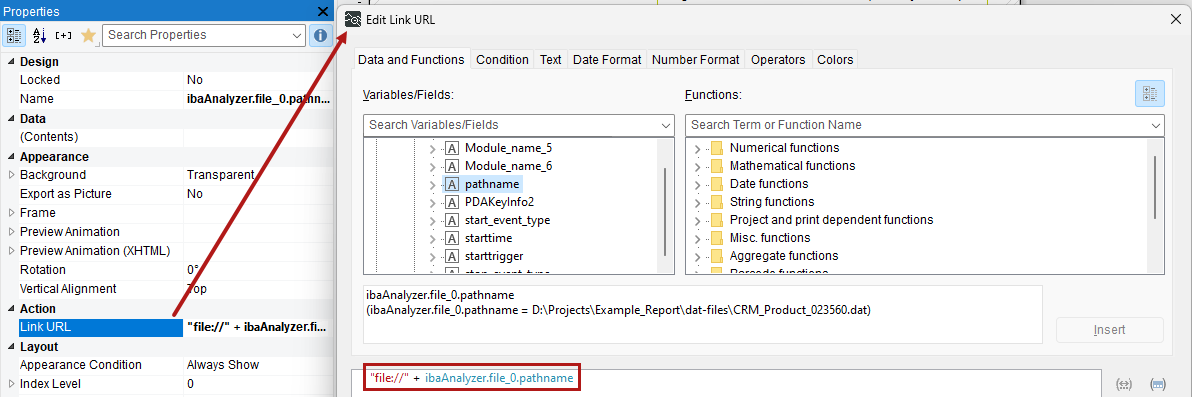
-
Confirm your changes in the dialog with <OK>.

