In addition to graphic objects, you can also place video objects in a report (individual frames from ibaCapture). ibaAnalyzer exports each visible camera view to the variable list of the Report Designer, in the "videos" folder. You can drag the video images into the report just like graph variables.
The DAT files in the example do not contain any video data.
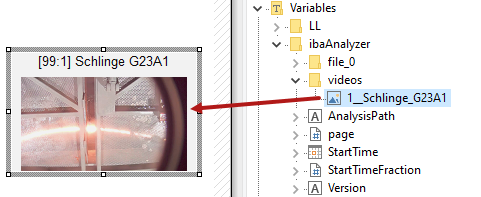
The video object contains the signal name and a video frame from a specific point in time in the video recording.
Changing the video properties
If you want to change the properties of the camera image, double-click on the image.

Show video title
If you enable this option, the name of the source signal is displayed as the video title.
Frame
Enter an expression or a format from the ibaAnalyzer expression builder to use the video image relevant to this time. The time is relative to the start time of the oldest data open file in ibaAnalyzer.
Use alternative text overlay settings
If the camera view has an overlaid text, you can change the text settings here.