-
Open the SQL Server Configuration Manager and allow the program to make changes to your computer.
-
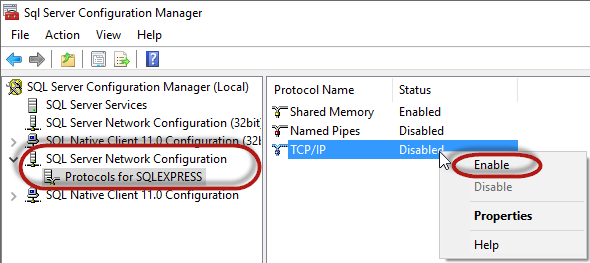
Under SQL Server Network Configuration – Protocols for SQLEXPRESS right-click on TCP/IP and enable the TCP/IP protocol.
-
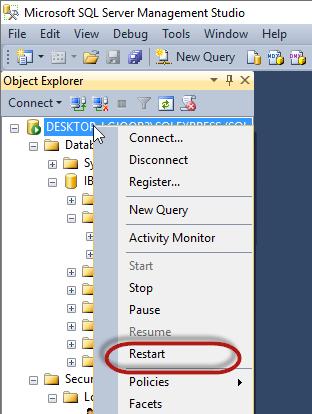
Restart the SQL Server via the Microsoft SQL Server Management Studio for the changes to take effect.