The results generated by the queries can be seen in the signal tree under the Trend query results node. To display the results in the recorder window, double-click on a result or drag a result into the recorder window.
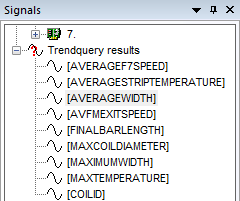
To remove the query result from the signal tree, right-click on the result or on the Trend query results node and select Clear trend query results in the context menu. The Close all data files command in the context menu of the signal tree or in the File menu also deletes the query results. You can only erase a query result in the Overview window with a new query.