Once the datasets have been queried from the database, there are various options for opening and analyzing them in ibaAnalyzer.
The query results are only temporarily available after the query. If you have closed ibaAnalyzer since then, you need to run the query again.
Opening a single query result
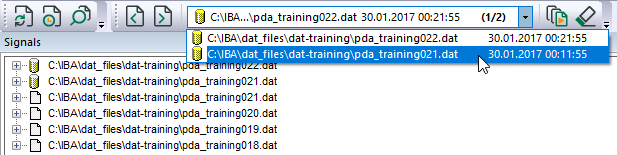
From the queried datasets, a dataset can be selected and opened from the File group drop-down list.
The selected result is displayed in the signal tree.

Opening multiple query results
You can also open the queried datasets like files via the Advanced area in the Open data file or Add data file dialog.
-
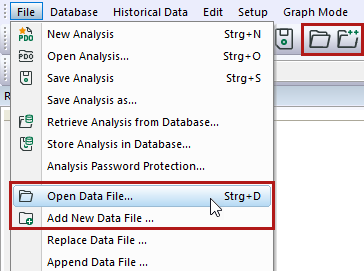
Open the dialog to open or add a DAT file either via the File – Open data file or Add data file menu or via the corresponding button in the toolbar.
-
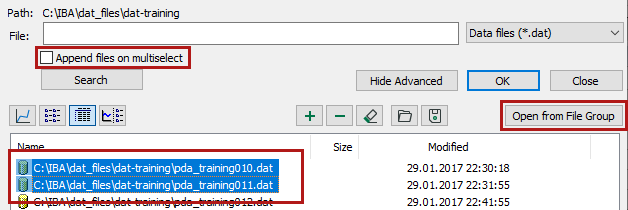
Select the desired query results from the Advanced area.If you do not see the Advanced area, click <Show Advanced>.
-
You can also use the Append files on multiselect option for queried data. If required, enable the Append files on multiselect option.
-
Click on <Open from file group>.
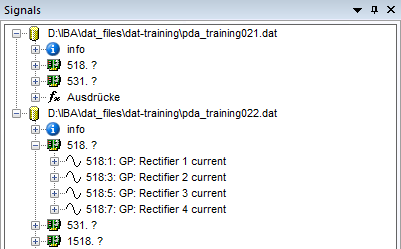
The selected database file then appears in the signal tree.
Open query results and DAT files at the same time
The results of database queries and DAT files can also be simultaneously displayed in the signal tree. The different data sources can be distinguished by the respective symbols.
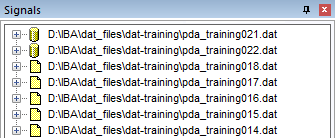
-
Open the dialog to open or add a DAT file either via the File – Open data file or Add data file menu or via the corresponding button in the toolbar.
-
Add the desired DAT files to the Advanced area of the dialog. If you do not see the Advanced area, click <Show Advanced>.
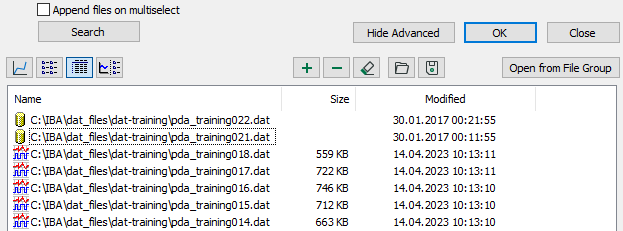
-
Select the desired query results and DAT files from the Advanced area.
-
Click on <Open from file group>.
The DAT files and query results appear in the File group drop-down list and in the signal tree.
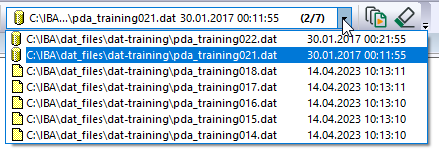
You can also open the DAT files in the Open data files dialog via a selection and with <OK> instead of via the Advanced area with the <Open from file group> button.
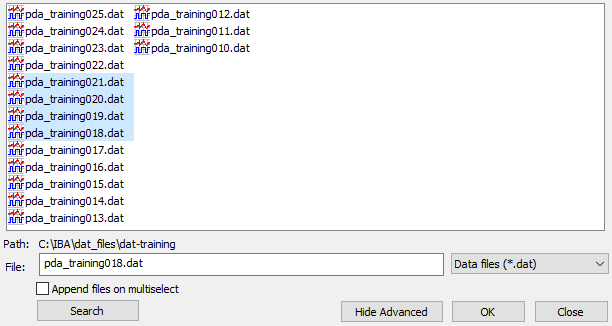
The DAT files then appear in the signal tree but not in the File group drop-down list.
Multidimensional channel expressions
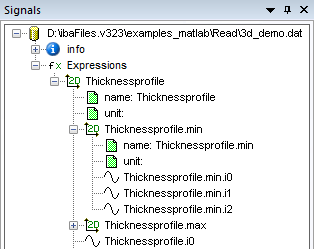
From the Expressions group, you can select the queried multidimensional channel expressions. You can display and evaluate the signals as usual. You can also select and use the sub-signals for calculations or expressions.