On the DC, the new service account must first be created. This requires a PowerShell console with administrator privileges running the following.
Add-KdsRootKey -EffectiveTime ((get-date).addhours(-10)) -Verbose
New-ADServiceAccount svc_iba -DisplayName "iba Software Service" -DNSHostName svc_iba.excorp.local
Set-ADServiceAccount svc_iba -PrincipalsAllowedToRetrieveManagedPassword WKS1$
Example ibaDatCoordinator account:
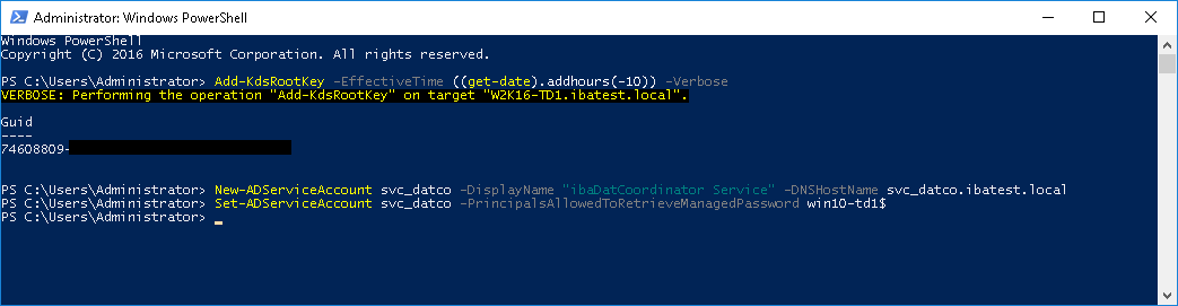
This allows the new service account to be used on the WKS1 computer. If, in addition,
it is to be used on computer WKS2, the last command must be repeated with WKS2$ instead of WKS1$.
|
Command |
Description |
|---|---|
|
|
Creates a new root key for the Microsoft Group Key Distribution Service (KdsSvc) and sets the date from which this key is valid to the current date minus 10 hours. |
|
|
Creates a new managed service account in the Active Directory named "svc_iba", sets the display name to a comprehensible value and defines the DNS entry for the service account to <service-name>.<domain-name>.local |
|
|
Adds the system named "WKS1$" to the members of the service account "svc_iba" and thus enables use of the account on the system. |
In order to be able to assign permissions more granularly, it is recommended to create separate service accounts for each of the software products.
Examples for ibaDatCoordinator and ibaCapture:
-
ibaDatCoordinator: svc_ibaDatCo
-
ibaCapture: svc_ibaCapture