To configure a new service account, the following steps must be performed:
-
Log on to the WKS1 system with administrator access.
-
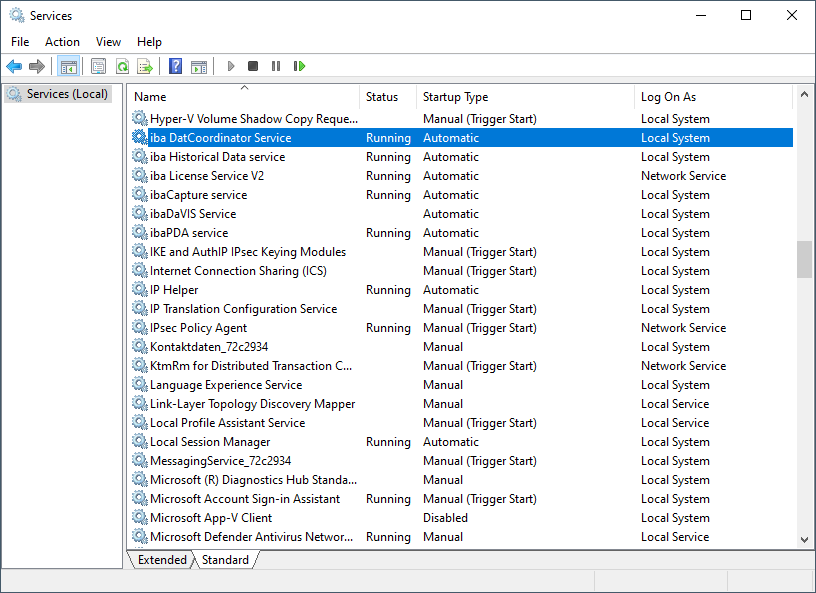
Open the Computer Management and select the Services item in the tree view.
-
Stop the corresponding service, in this case our example is the "iba DatCoordinator Service".
-
Now open the properties for the service and select the Log on tab.

-
Select This account.
-
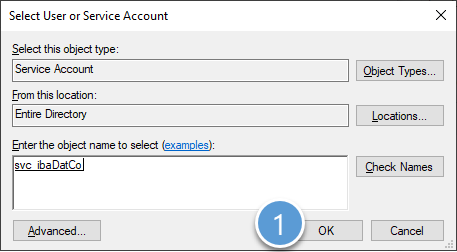
Enter the service account in the User name field in the format "<domain name>\<account name>$", in this case "EXCORP\svc_ibaDatCo$". Alternatively, you can also select the corresponding account using <Browse>. In the following figures, the numbers indicate the order and places of the operations or entries.



-
Exit and confirm the dialogs with <OK>.
-
Start the service.
To ensure proper functioning of the modified service, it may be necessary to set additional permissions on the WKS1 system.
The required permissions can be found in their current form in the manuals for the respective programs.