For the SNMP-Server to work, it needs read/write access to certain paths in the registry:
HKEY_LOCAL_MACHINE\SOFTWARE\iba\ibaSnmp\EngineBoots\HKEY_LOCAL_MACHINE\SOFTWARE\WOW6432Node\iba\ibaSnmp\EngineBoots\
Proceed as follows.
-
Open the registry editor by pressing <Windows>+<R> and entering "regedit".

-
Navigate to the first of the paths or keys shown above. If this does not exist, then create it.
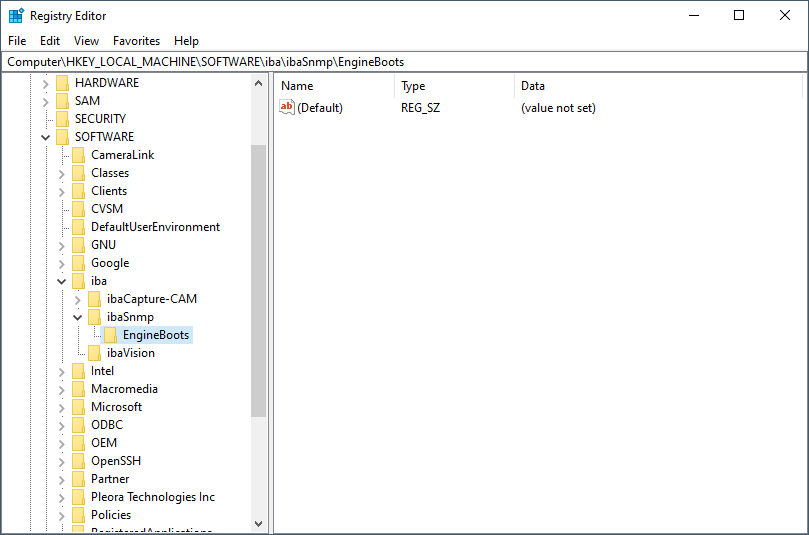
-
Open the Permissions... item in the context menu of the EngineBoots key

-
In the "Permissions" dialog, click <Add> to add the new service account.

-
Next, select "Service Accounts" under <Object Types...> and then click on <Advanced...>.

-
Click on <Find Now>, then select the desired service account from the search results and exit the dialog with <OK>.

-
Exit the dialog with <OK>.

-
Grant the added account "Full access" in the Permissions field and exit the dialog with <OK>.

-
Repeat steps 2 to 8 for the second key.