In newer browser versions, error messages may appear when you try to activate or update licenses.
Cause
The connection between the browser and locally installed applications and services must be explicitly enabled.
Solution
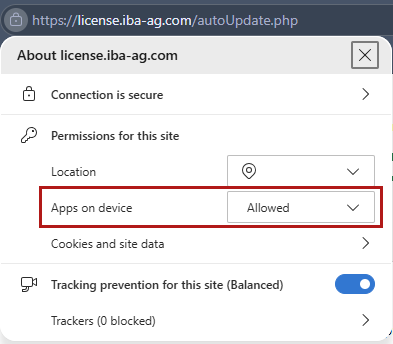
Check your browser settings to see if WebDepot is enabled.
Example: Microsoft Edge
You can find the setting by clicking the lock icon next to the address bar: