To re-host licenses without Internet access, i.e. to transfer or move them to another container, you must perform the following steps manually:
-
Create license request file (offline PC)
-
Deactivate licenses (online PC)
-
Import license update (offline PC)
-
Confirm license deactivation (create and upload receipt file)
The individual steps are described below.
Creating a license request file
-
Open the CodeMeter Control Center.
-
Select the license container from which you want to transfer the licenses and click <License Update>.
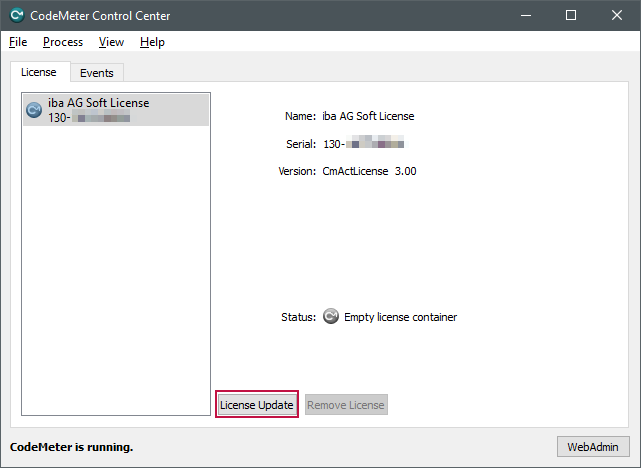
The welcome window of the CmFAS (CodeMeter Field Activation Service) wizard opens.
-
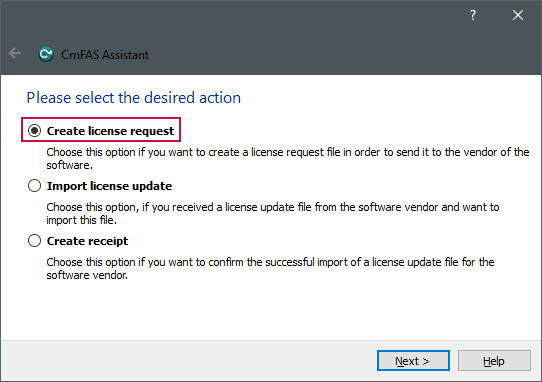
Click on <Next> and in the next window select the option “Create license request”.
-
Click on<Next>.
-
Select the storage location and file name for the license request file and click on <Commit>.


Deactivating licenses
-
Transfer the created file to a PC with Internet access and open the iba AG WebDepot under https://license.iba-ag.com.
-
Enter the ticket number in the field under Ticket.
-
Click on<Next>.
All licenses contained in the ticket are displayed.
-
If the view is not displayed, click on <Licenses>.
-
Click <Re-host Licenses> under the table.
-
Click on <File-based license transfer> at the bottom right.
-
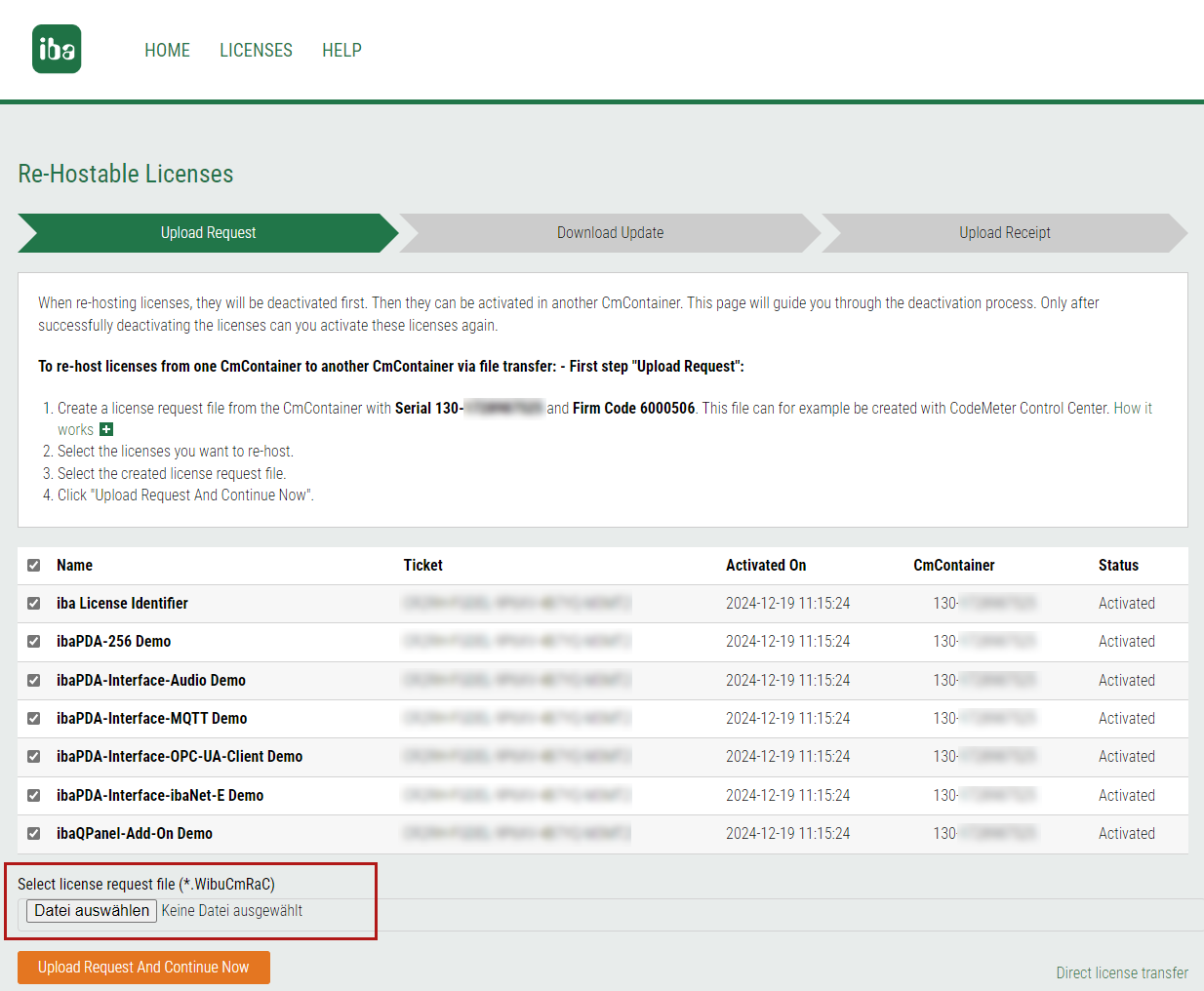
On the next page, select the previously created license request file under Select license request file (*.WibuCmRaC).
-
Click on <Upload Request And Continue Now>.
The license update is available for download on the following page.
-
To download the file, click on <Download License Update File Now>.

Importing the license update
-
Transfer the generated license update to the PC without Internet access and open the CodeMeter Control Center there.
-
Select the license container and click <License Update>.
-
Click <Next> in the welcome window and select the option "Import license update".
-
Enter the path of the previously transferred file and follow the steps to update it.
Confirming deactivation
To confirm the deactivation of the licenses, you must create and upload a receipt file. Follow the steps in chapter Creating and uploading a receipt file.
The licenses of the ticket are now available for reactivation in another container, see File-based transfer and update of licenses (offline).