To be able to carry out this step, you need a file with the ending *.WibuCmRaU.
The creation of this file is described in the chapters Creating a license request file and Transferring licenses file-based. Alternatively, files with this extension can also be provided directly by iba-Support under certain conditions.
The license update file mentioned must be available on the PC on which the container to be updated is active.
-
To import the update, open the CodeMeter control center and click on <License Update>.
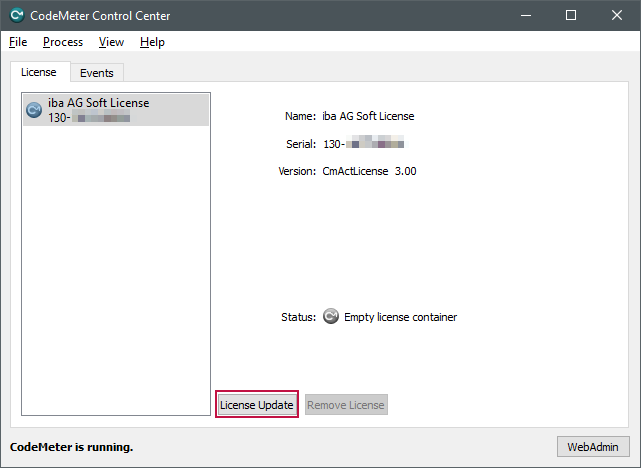
The welcome window of the CmFAS (CodeMeter Field Activation Service) wizard opens.
-
Click <Next> to go to the option selection.
-
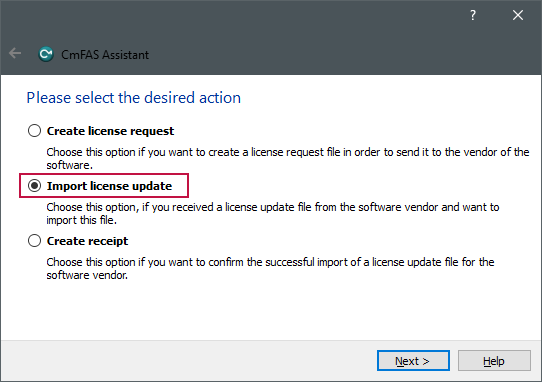
Now select "Import license update" and click <Next>.
-
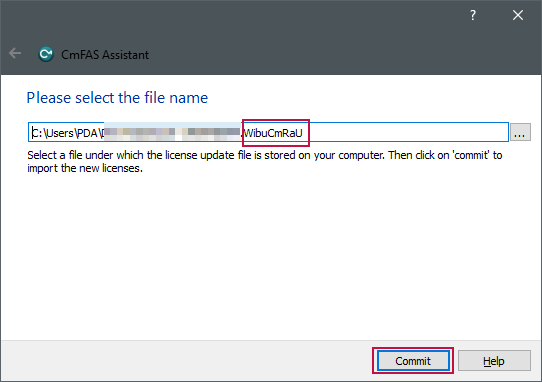
Select the WibuCmRaU file provided for the container and click on <Commit>.
As soon as the update has been carried out, a corresponding message appears.
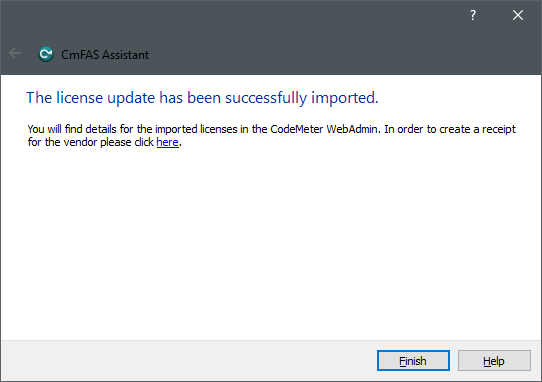


This means that the licenses are available on the container.
To proceed, follow the steps in chapter Creating and uploading a receipt file.