A request file for activation of a container license must be created on the PC on which this container is active.
-
Open the CodeMeter Control Center.
-
Select the container and click <License Update>.
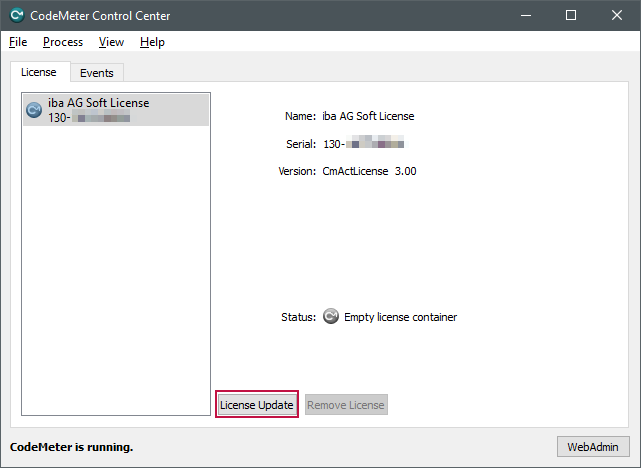
The welcome window of the CmFAS (CodeMeter Field Activation Service) wizard opens.
-
Click on <Next> and in the next window select the option “Create license request”.
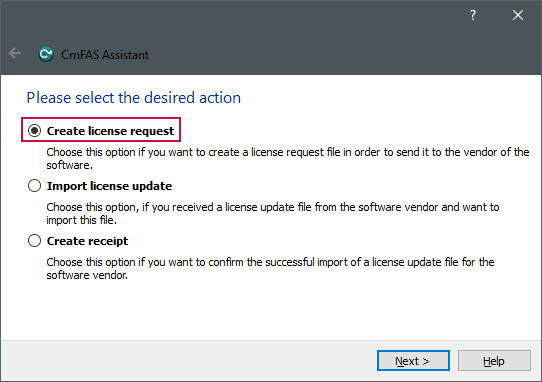
You can close the window using the [Esc] button.
-
Click on<Next>.
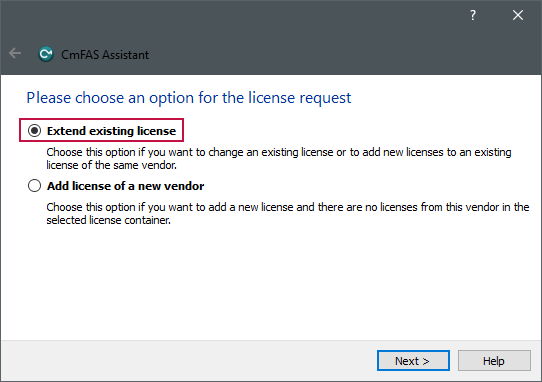
A selection dialog for the license request appears.


This is where the license request with a CmDongle differs from the license request with a soft license.
License request with CmDongle
-
If you create the license request file with a CmDongle and want to change/extend an existing license, select the option "Extend existing license".
-
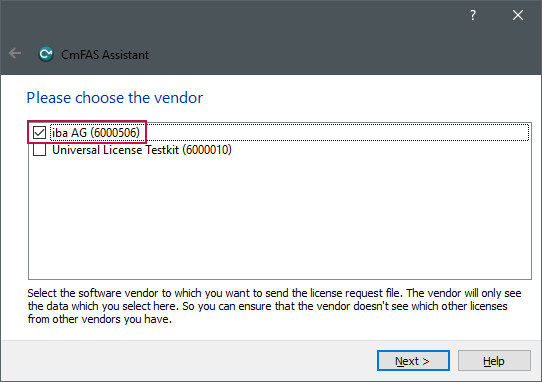
From the list of software manufacturers, select the entry "iba AG (6000506)" and click <Next>.
-
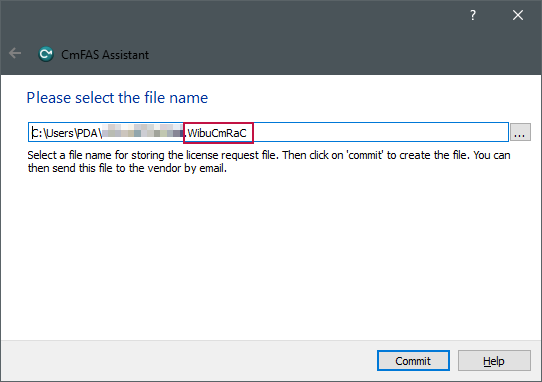
Select the storage location and file name for the license request file and click on <Commit>.
-
You can close the confirmation window that appears.


You will need the generated file with the extension *.WibuCmRaC for the offline license transfer in WebDepot, see chapter Transferring licenses file-based.
License request with soft license
If you are using a soft license, select the location and file name for the license request file and click <Commit>.
You can close the confirmation window that appears.