Extensions or corrections can be made available directly for existing licenses. In this case, no ticket number is required to update the license.
Prerequisite: The CmContainer is available on a PC with Internet access. If the PC does not have Internet access, use the file-based license transfer, see File-based transfer and update of licenses (offline).
-
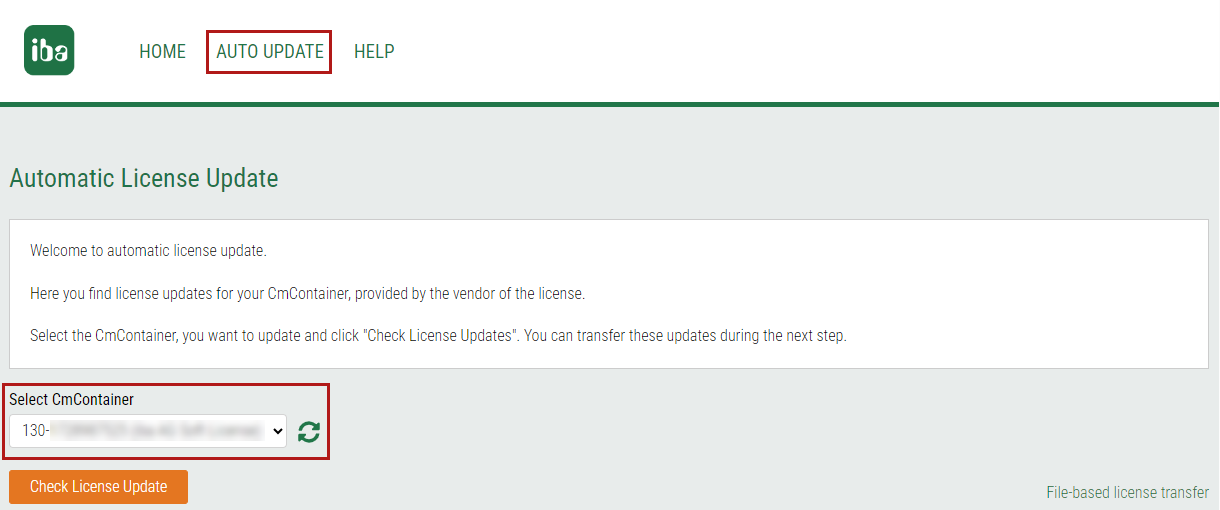
In the iba AG WebDepot under https://license.iba-ag.com click on the link <AUTO UPDATE>.
-
Make sure that the connection from your browser to locally installed applications and services is enabled.
Other documentation

For detailed information on various browsers, see: https://www.youtube.com/@WIBUSYSTEMSAG/videos
-
Select the CmContainer for which you want to search for pending updates.
-
Click on the <Check License Update> button.
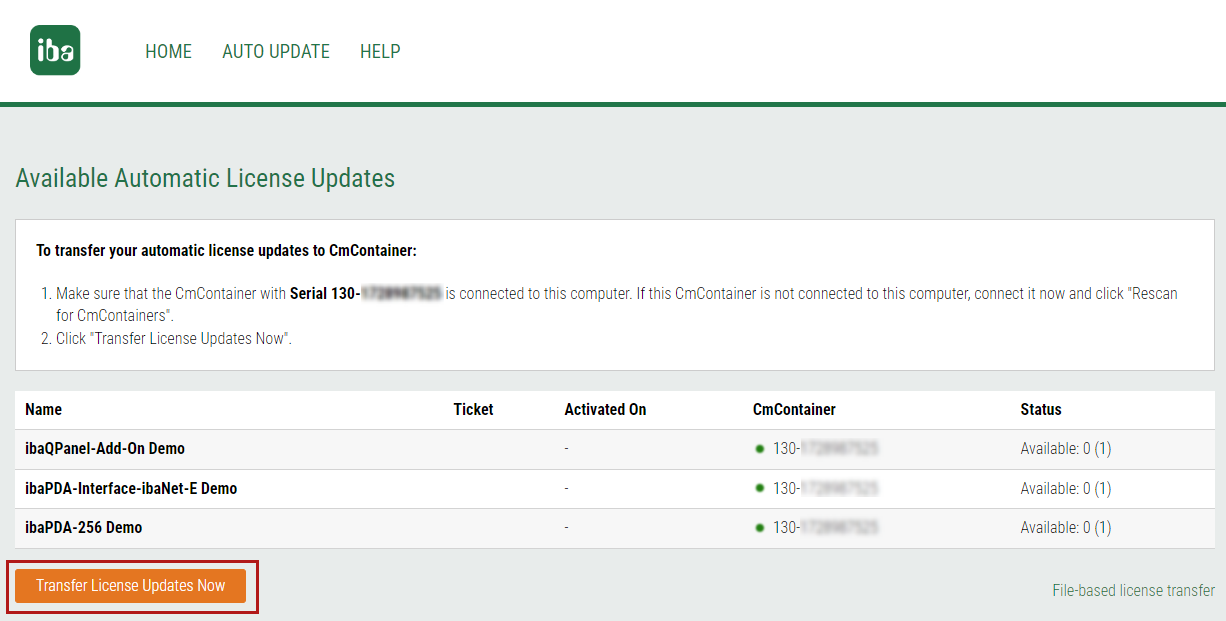
Available automatic license updates are displayed.
-
To start the transfer, click on <Transfer License Updates Now>.